 StudentAid
Your entire transport office, on one screen.
Twelve connected screens that replace the paper lists, the WhatsApp groups and the filing cabinet — roster, fleet, live map, dismissal, custody records, driver verification and compliance reporting.
The morning at a glance
Who is enrolled, which vans are moving, which drivers are waiting for approval, and what needs your attention today.
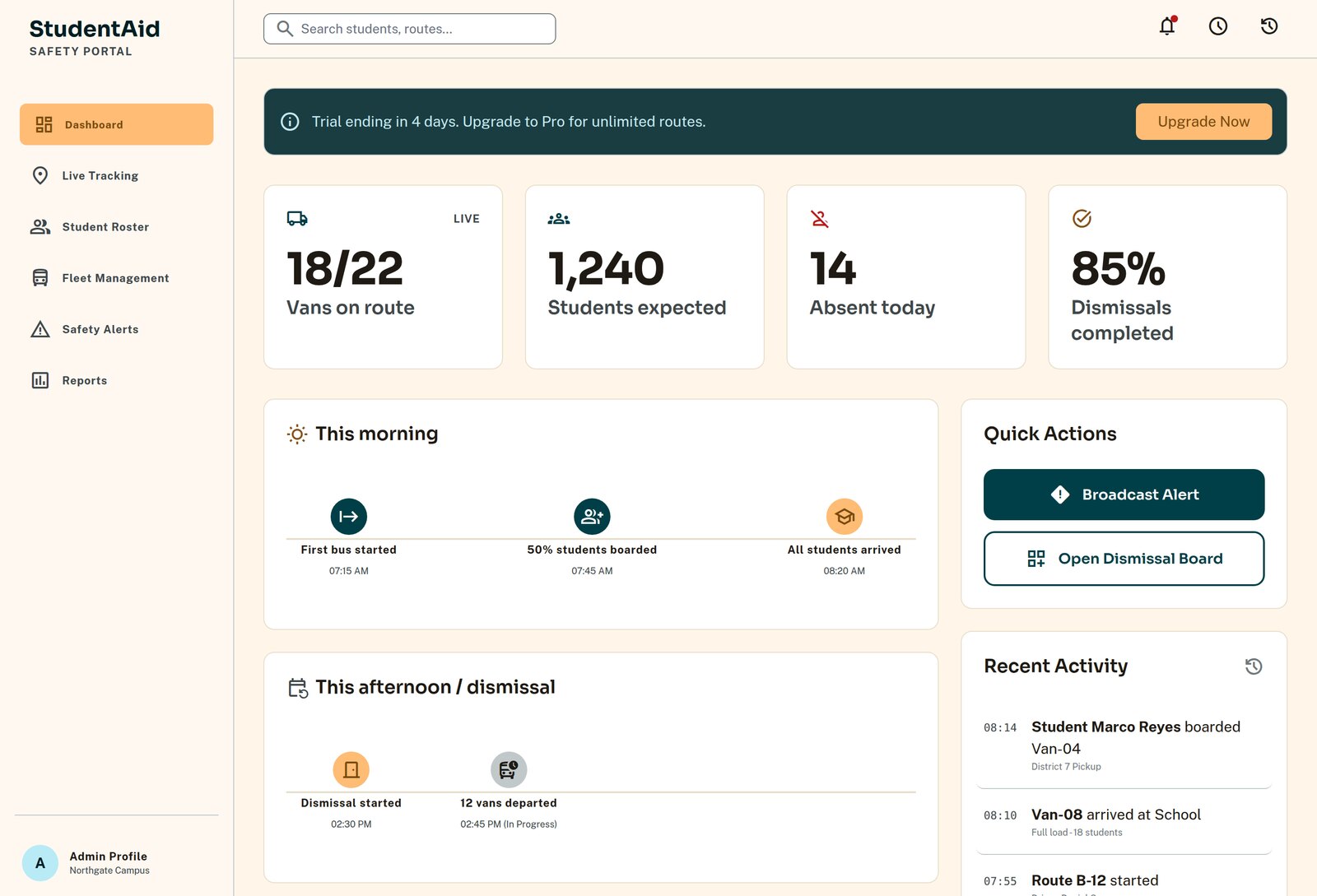
Enrolment at a glance
Students enrolled, how many ride the van, how many are collected privately — updated as the roster changes.
Vans in motion
Live count of trips running, completed and not yet started, with the delayed ones surfaced first.
Drivers awaiting approval
A badge that will not go away until someone has verified the person who wants to drive your children.
Missing student photos
A gentle nudge — a photo is what lets a driver or gate officer confirm they have the right child.
Subscription status
Plan, billing basis and trial progress, visible to the owner without emailing anyone.
Safety alerts
Open incidents surfaced on the dashboard until a human resolves them.
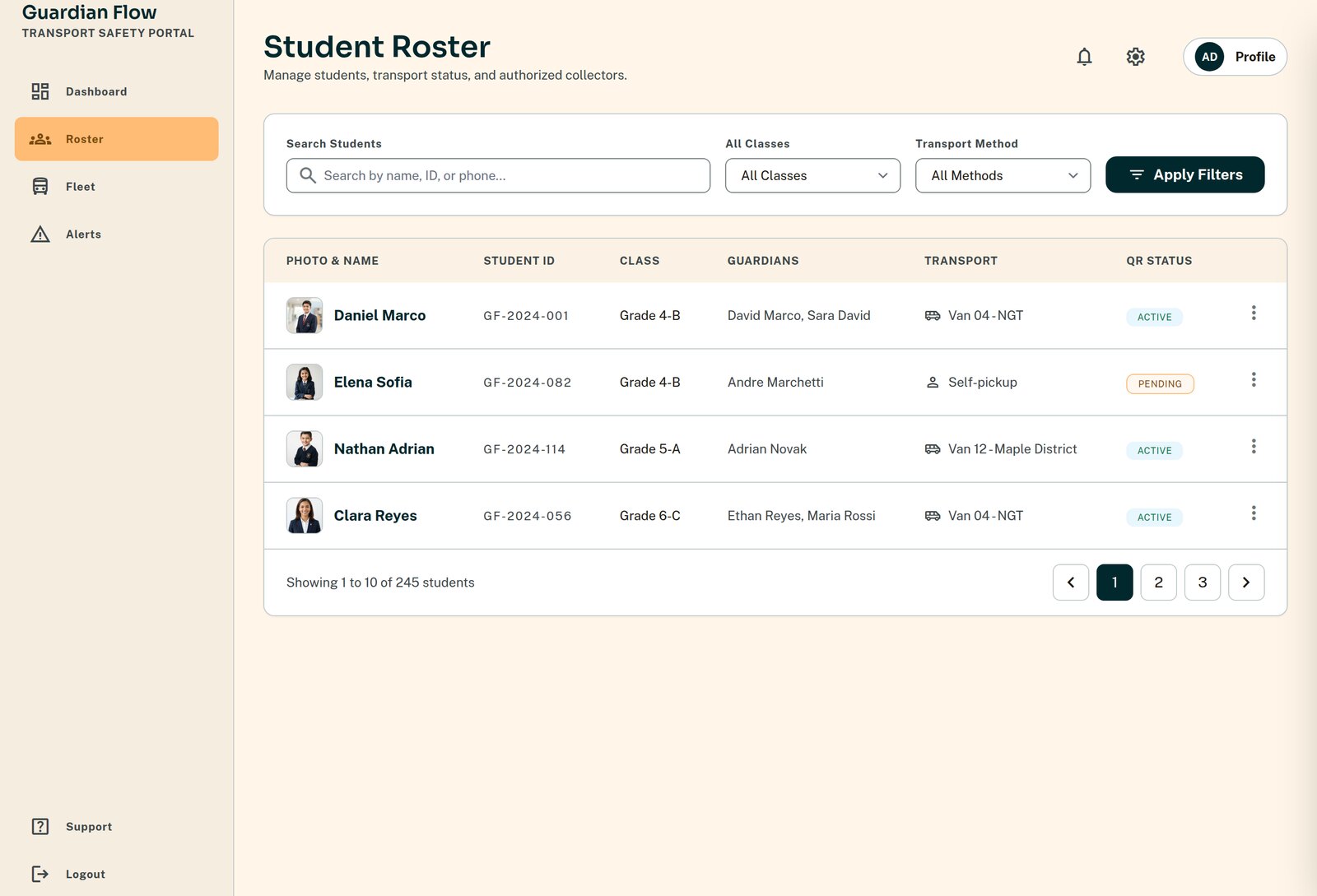
Import a spreadsheet, get a working roster
A four-step wizard: upload your CSV, map the columns, review what will change, and confirm consent. Nothing is written until you approve the preview.
- checkColumn mapping guessed from your headers, corrected in one dropdown
- checkGuardians de-duplicated by phone number across the whole file
- checkMissing phone numbers flagged, never silently dropped
- checkReal consent records created at import — data and photo consent tracked separately, and revocable
- checkA detail drawer per child: guardians, authorised collectors, consent, QR pass and transport method
- checkPoint-in-time enrolment, so last term's manifest can still be reconstructed exactly
The map and the morning ops board
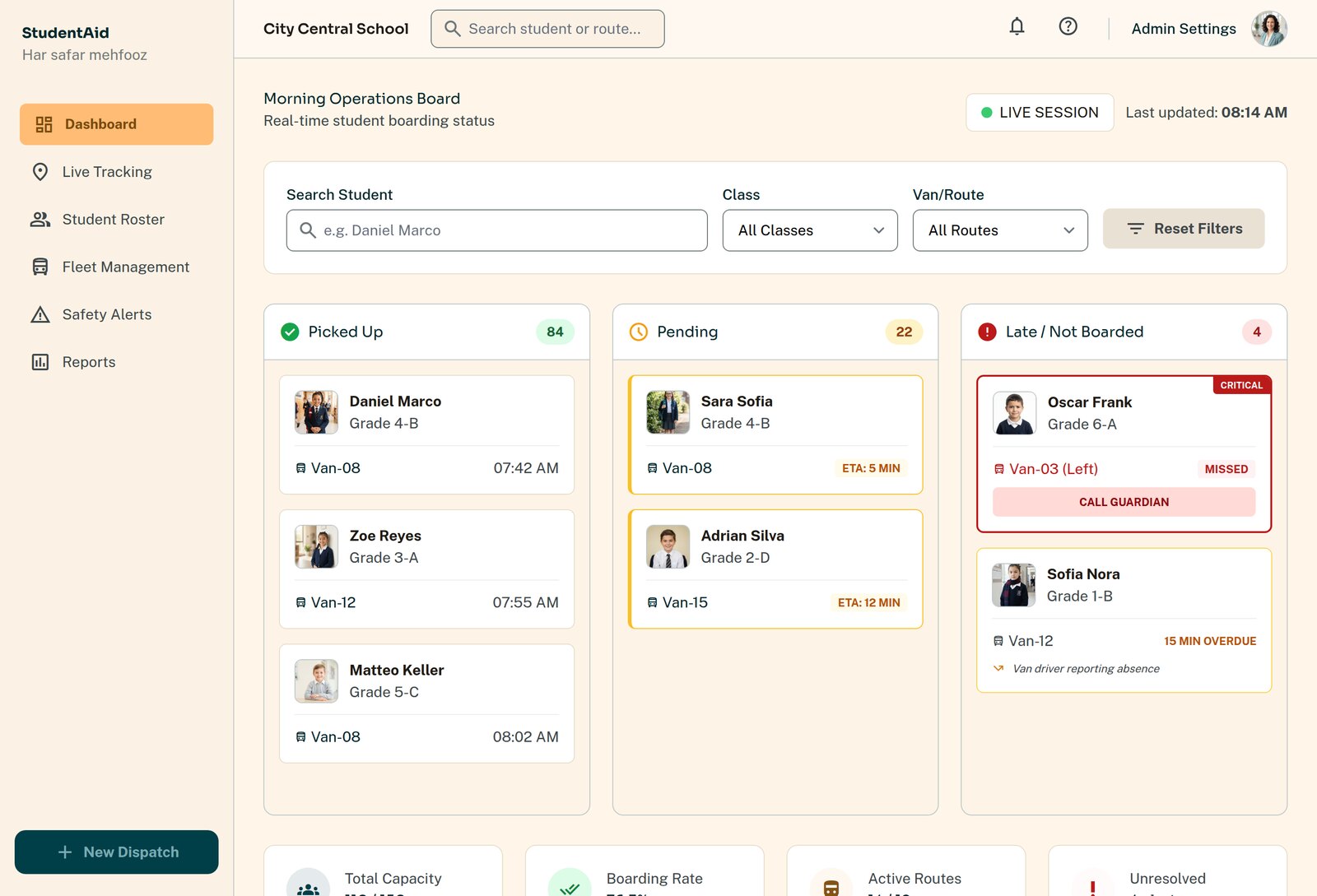
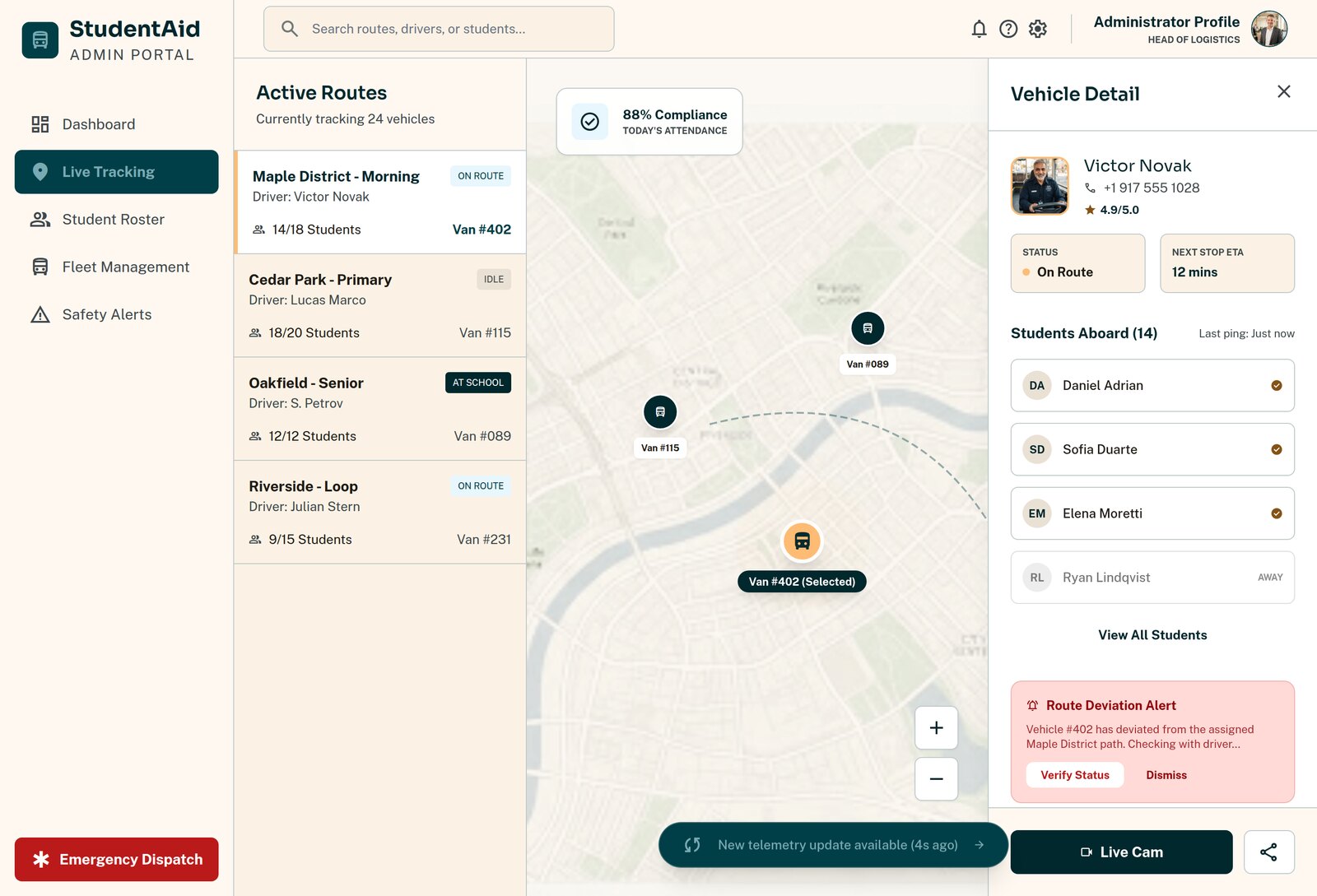
Two views of the same moment. The map shows where every van is. The ops board shows what is happening inside them.
- checkEvery active van with its route, driver and last known position
- checkBoarding counts updating live as children are scanned aboard
- checkAbsent and parent-drop children marked before the van arrives, so drivers do not wait
- checkDelayed trips surfaced automatically rather than discovered by a phone call
- checkStale positions shown as stale — the map never invents a location it does not have
The gate, under control
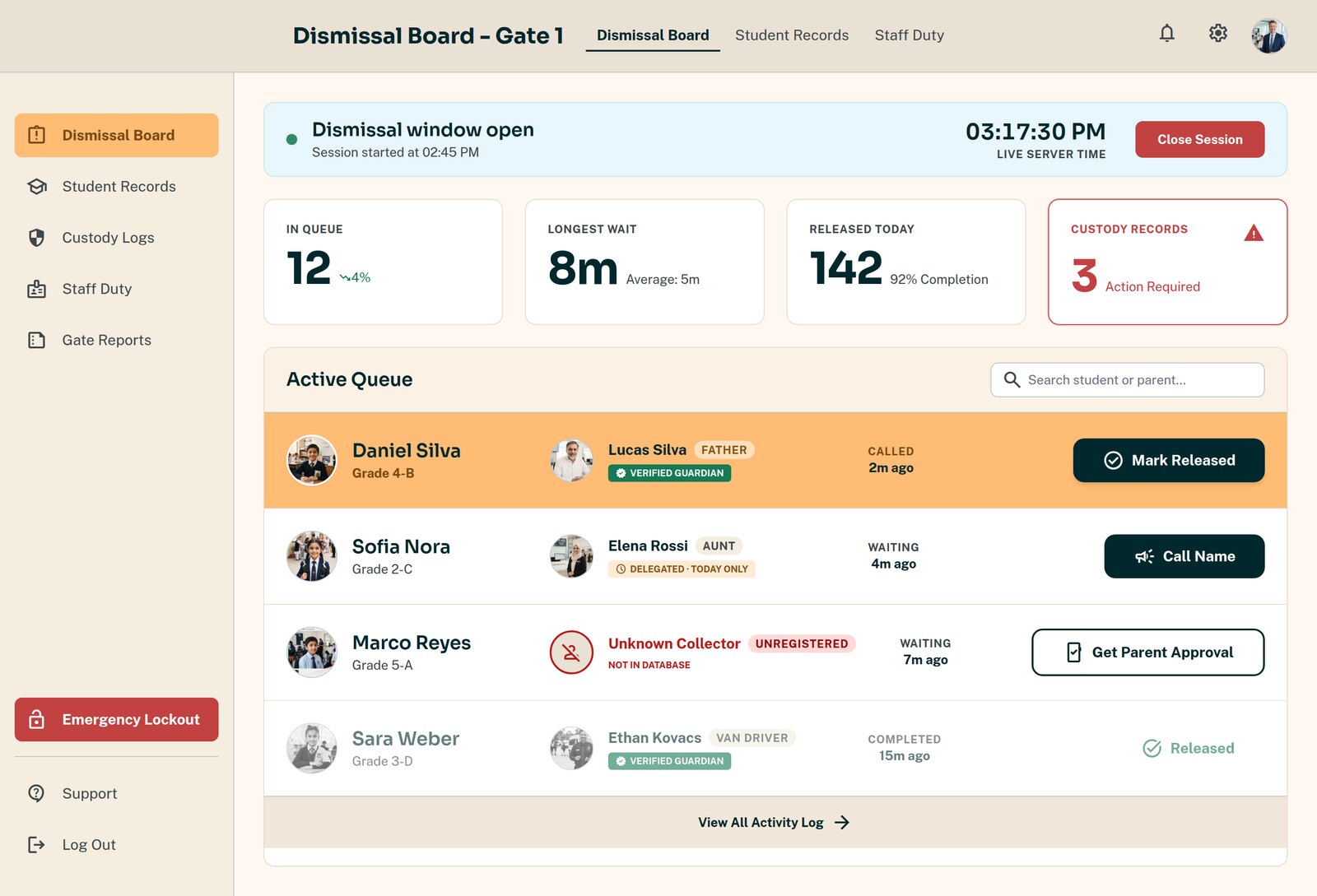
Home time is the riskiest twenty minutes of the school day. The dismissal board turns it into a queue with a verified release at the end of it.
- checkOpen a dismissal session per gate, per day
- checkCall children forward in order; staff see the photo, the class and the collector
- checkRelease to an authorised collector, a valid delegate pass, or a parent's in-app approval
- checkUnknown collector at the gate? Escalate to the parent and wait — an unanswered request is a refusal
- checkEvery release writes an append-only custody record that cannot later be edited
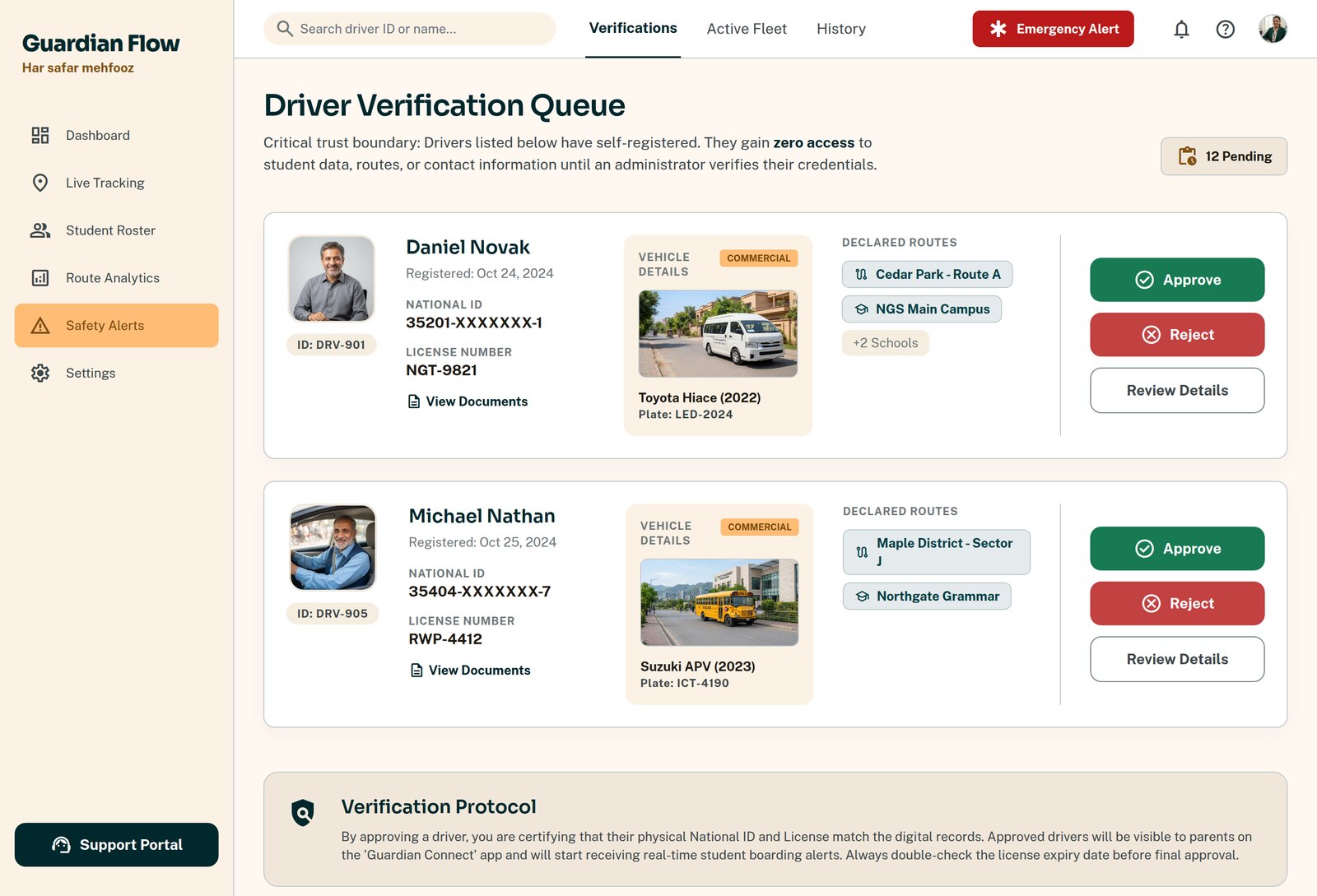
Know exactly who is driving your children
- checkA verification queue that opens on pending drivers and badges the count until cleared
- checkVerify and approve with an explicit attestation, or reject with a recorded reason
- checkGovernment ID and licence documents attached to the driver file
- checkGovernment ID masked to the last four digits everywhere except one audited reveal
- checkRevoke instantly — a revoked driver loses access to student data the same second
- checkFleet directory of vehicles with capacity, assignment and maintenance state
Everything you would be asked for, already written
Compliance reports
Signed, reference-numbered reports covering route logs, manifests and driver checks — generated on demand and independently verifiable.
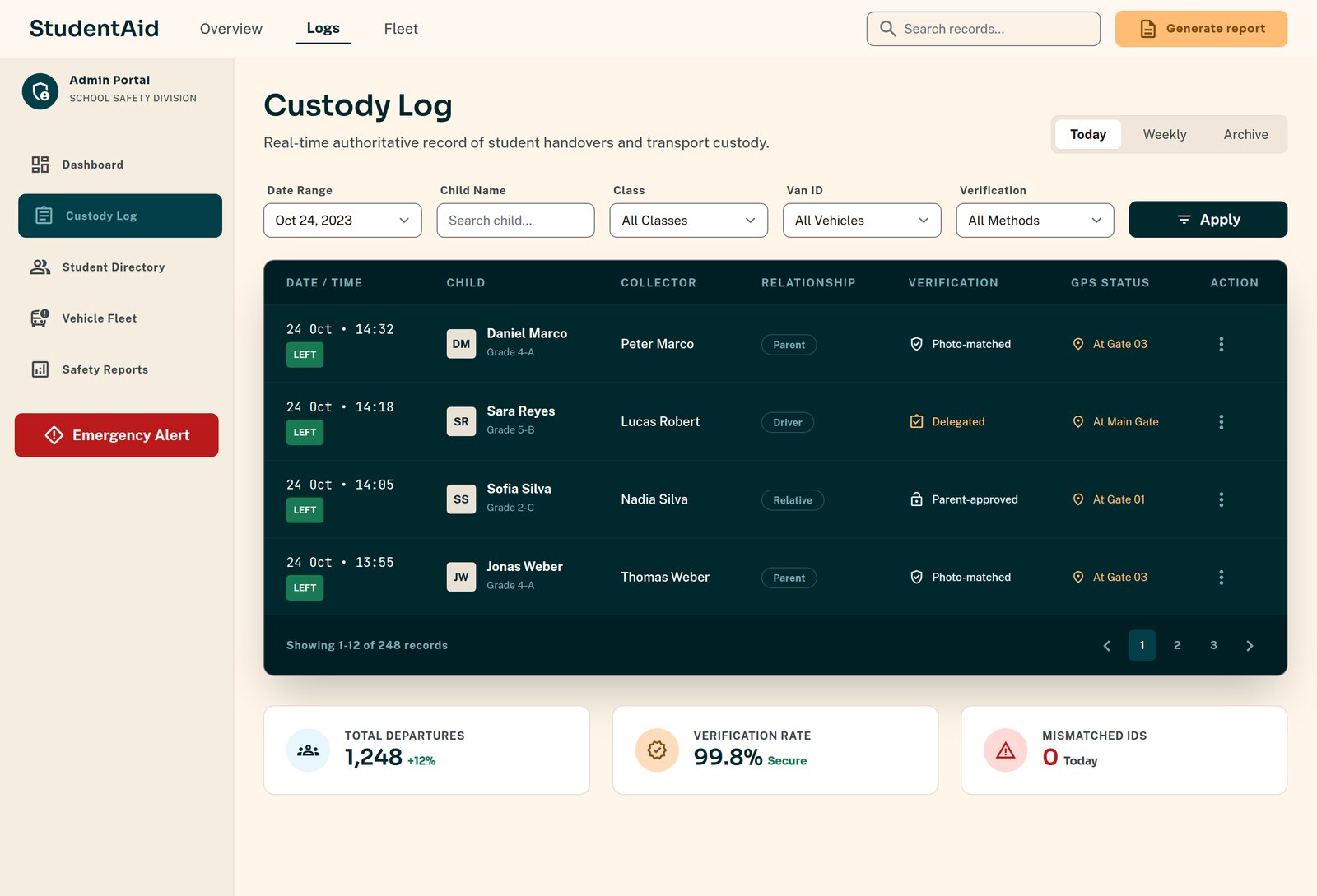
Custody logs
A read-only paper trail of every release: which child, which method, which collector, at what time and which gate.
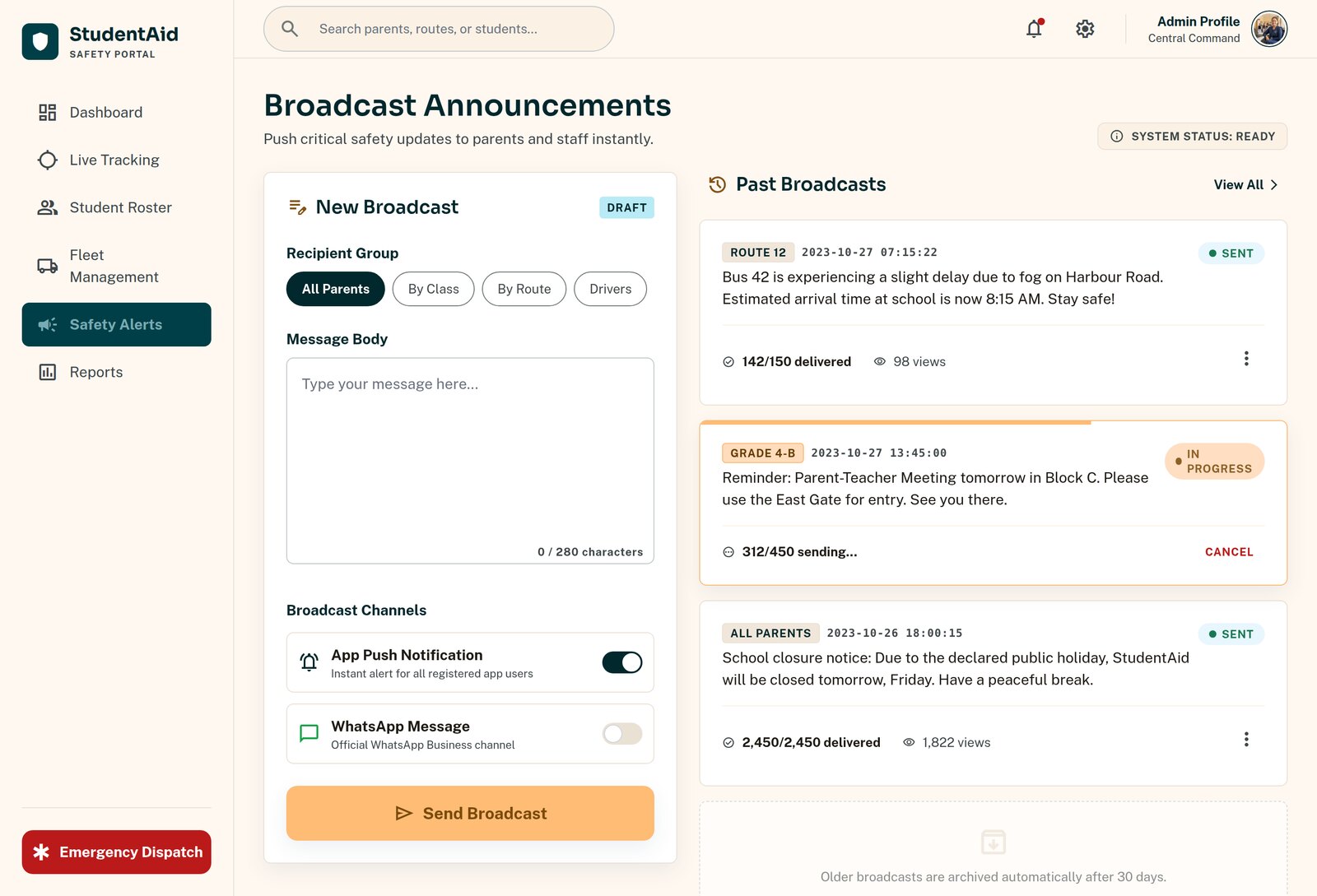
Broadcasts
Message all guardians, one class, or one route, straight to their phones. Delivery tracked per recipient.
Invitations
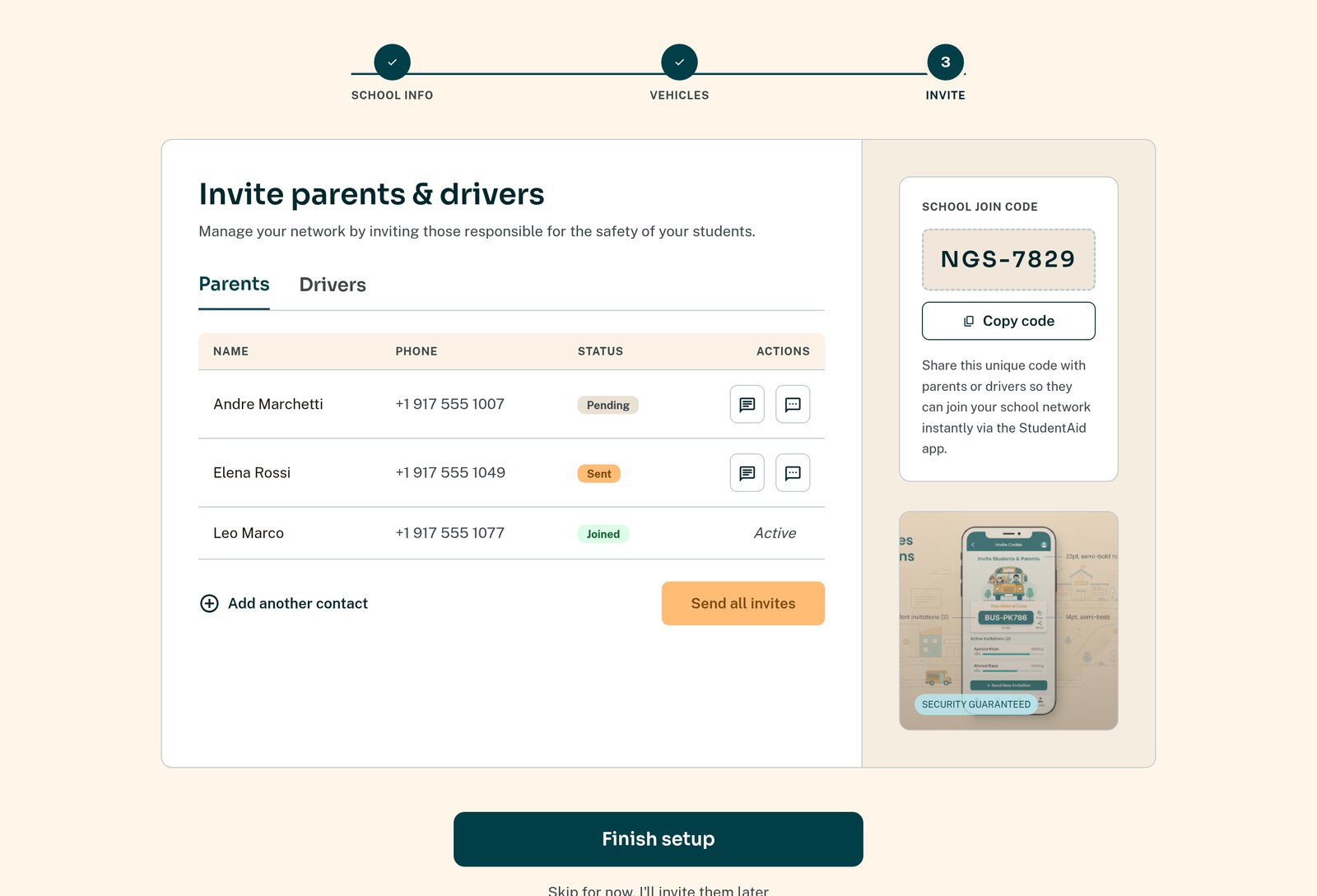
Invite codes for staff and guardians, issued and revocable from the portal, so nobody joins your school's data by accident.
Users & roles
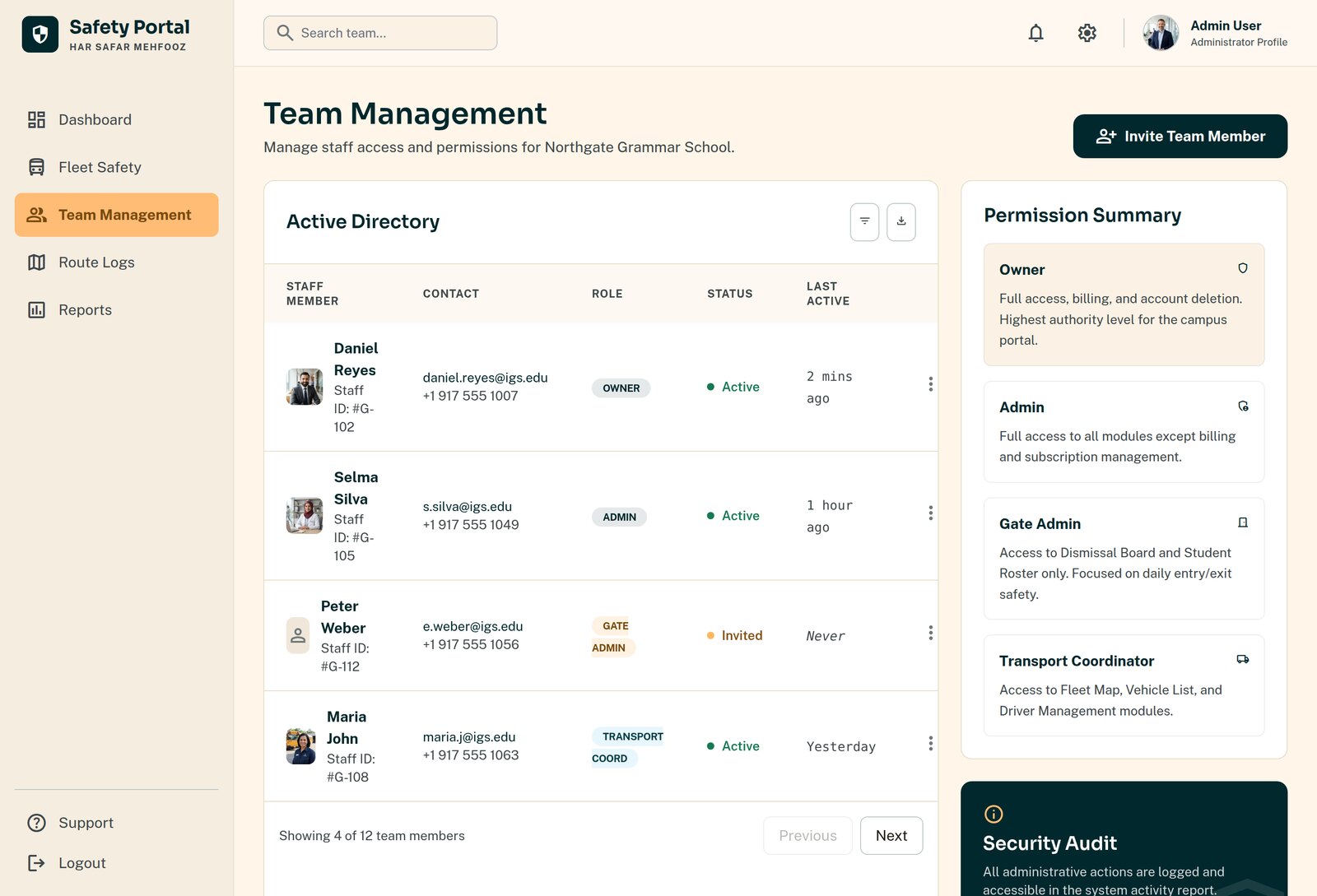
Four roles with distinct powers — an owner, an admin, a transport coordinator and a gate officer see different things.
Settings
School profile, transport on/off, and your own additions to the emergency escalation list.
What each role sees
Access follows the job, not the person's seniority.
| Role | Can do |
|---|---|
| Owner | Everything, including billing, subscription and staff roles. |
| School admin | Roster, guardians, broadcasts, reports, dismissal — everything except billing. |
| Transport coordinator | Fleet, routes, drivers and verification, live map and ops board. |
| Gate officer | The dismissal board only. No roster editing, no driver files, no ID access. |
See it running on your own roster
We will import a sample of your student and route data and show you the real thing, not a slideshow.