 StudentAid
Built for one hand, and a bad signal.
Drivers are not office workers. The app does four things well — start the trip, scan children aboard, confirm the drops, call for help — and keeps working when the network does not.
Four taps, start to finish
Start the trip
Today's assigned trips are already there. One tap starts the run and puts the van on the map for the school and for waiting parents.
Scan each child aboard
A signed QR pass identifies the child — not a name read off a list. The manifest ticks itself, and a wrong child cannot be scanned onto the wrong van.
Confirm each drop
At every stop the driver confirms who got off. That confirmation is what turns into the parent's “dropped safely” alert.
Hold for emergency
A deliberate hold-to-send SOS — impossible to fire by accident in a pocket, one action away when it matters.
Designed for the road, not the demo
Mobile coverage is not uniform everywhere, phones are often inexpensive, and a driver has both hands busy. The app assumes all of that.
- checkBoarding scans and GPS pings queue on the phone and upload when signal returns — a dead spot never loses a record
- checkLarge touch targets and high contrast, usable in bright sun through a windscreen
- checkBattery and tracking warnings when the phone is about to stop reporting
- checkRuns on inexpensive Android devices — no special hardware to buy
- checkThe app never asks the driver to read a screen while moving

Drivers sign themselves up. Schools decide.
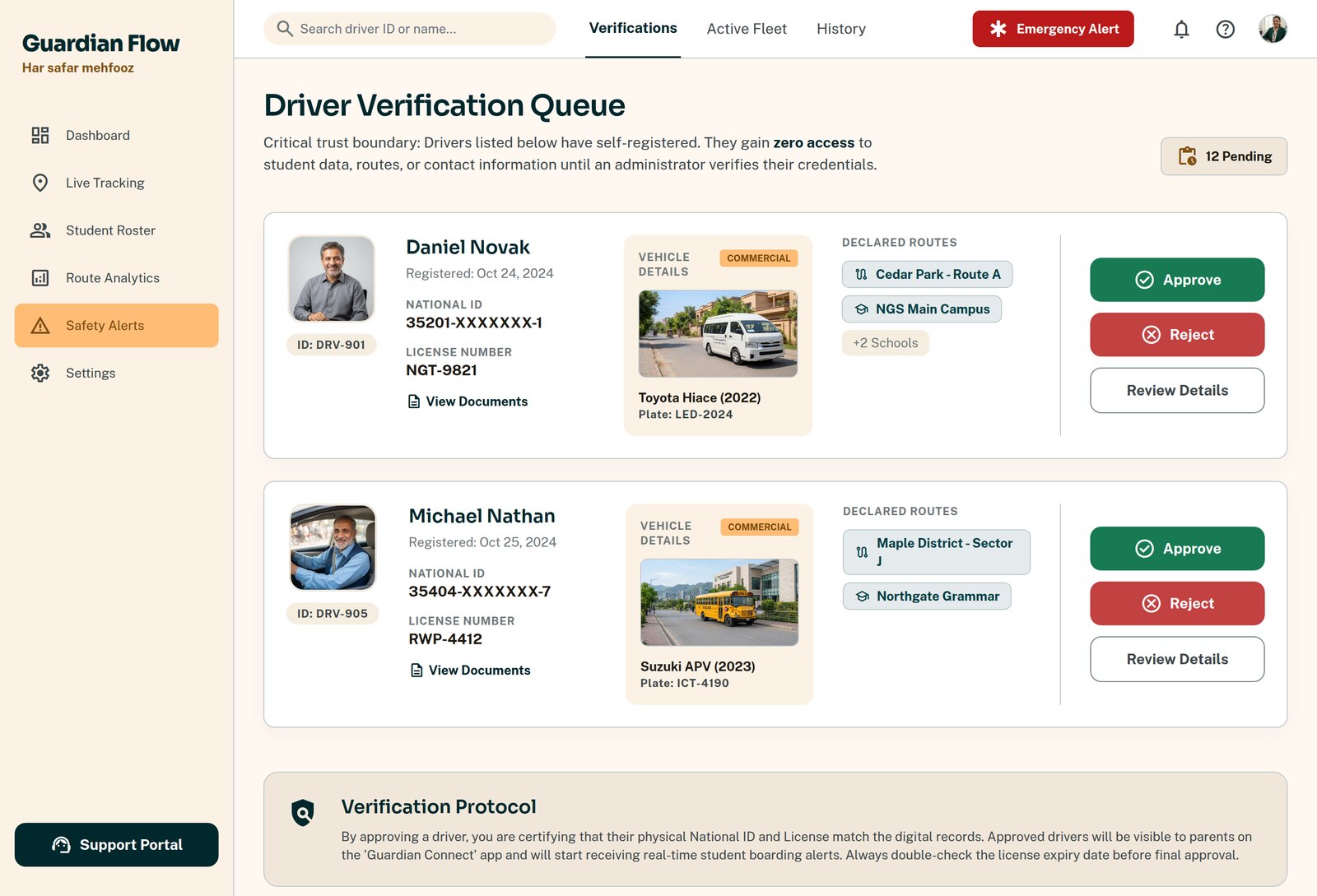
A driver signs up on their own phone, uploads their documents, and waits. Until a school approves them they can see nothing about any child — the pending state is not a lighter version of access, it is no access.
- checkSelf-registration with government ID, licence and experience
- checkDocuments uploaded from the phone camera
- checkZero student data visible while pending
- checkA school approves with an explicit attestation, or rejects with a reason the driver can see
- checkRejected drivers can fix their file and resubmit
- checkRevocation is instant and total
An SOS that always reaches a human
The driver holds the button. The alert fans out immediately — and it cannot be configured into silence.
Guardians of the children aboard
The families whose children are actually on that van at that moment — with the van's live position.
The school's emergency contacts
Owner, admins and gate staff, plus any additional contacts the school has added.
Every affected school
On a shared van, every school with a child aboard is notified — not just the one that raised it.
StudentAid is not an emergency service. An SOS notifies the school and affected guardians. It does not call the police or an ambulance — in a real emergency the driver calls them directly, and uses the app as well, never instead.
Put it in your drivers' hands
We onboard your drivers with you — installation, verification and a first supervised run.