 StudentAid
Stop guessing. Start seeing.
Watch the van approach your street, know the moment your child steps aboard, and know who collected them at home time. Free for families.
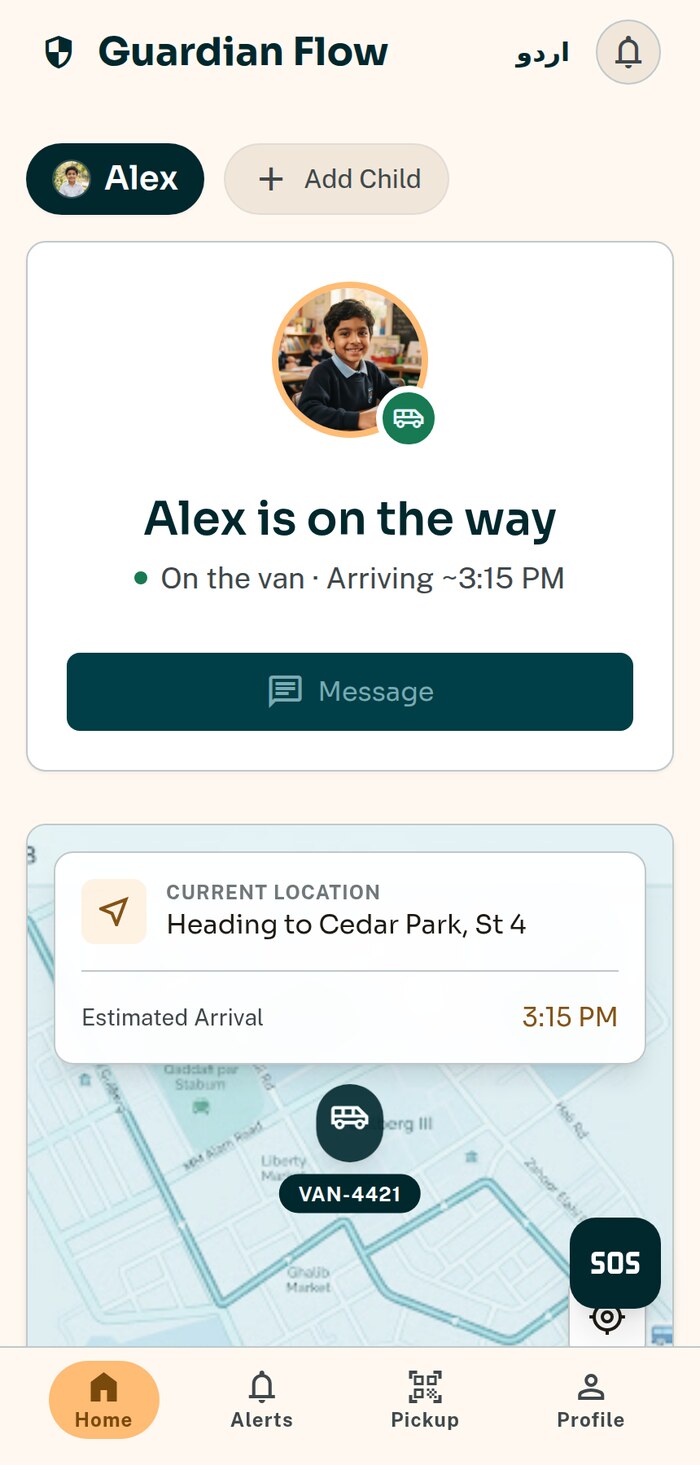
The four moments that matter
Not a stream of noise — four alerts that answer the only questions a parent actually has.
The van is approaching
Enough warning to get shoes on and reach the gate, without standing outside for twenty minutes.
Your child boarded
The moment they are scanned aboard. This is the alert that ends the morning phone call to the school.
Your child was dropped
Confirmation at the stop, not an assumption an hour later.
Your child was not aboard
The alert nobody wants and everybody needs — raised the moment the van leaves without them.
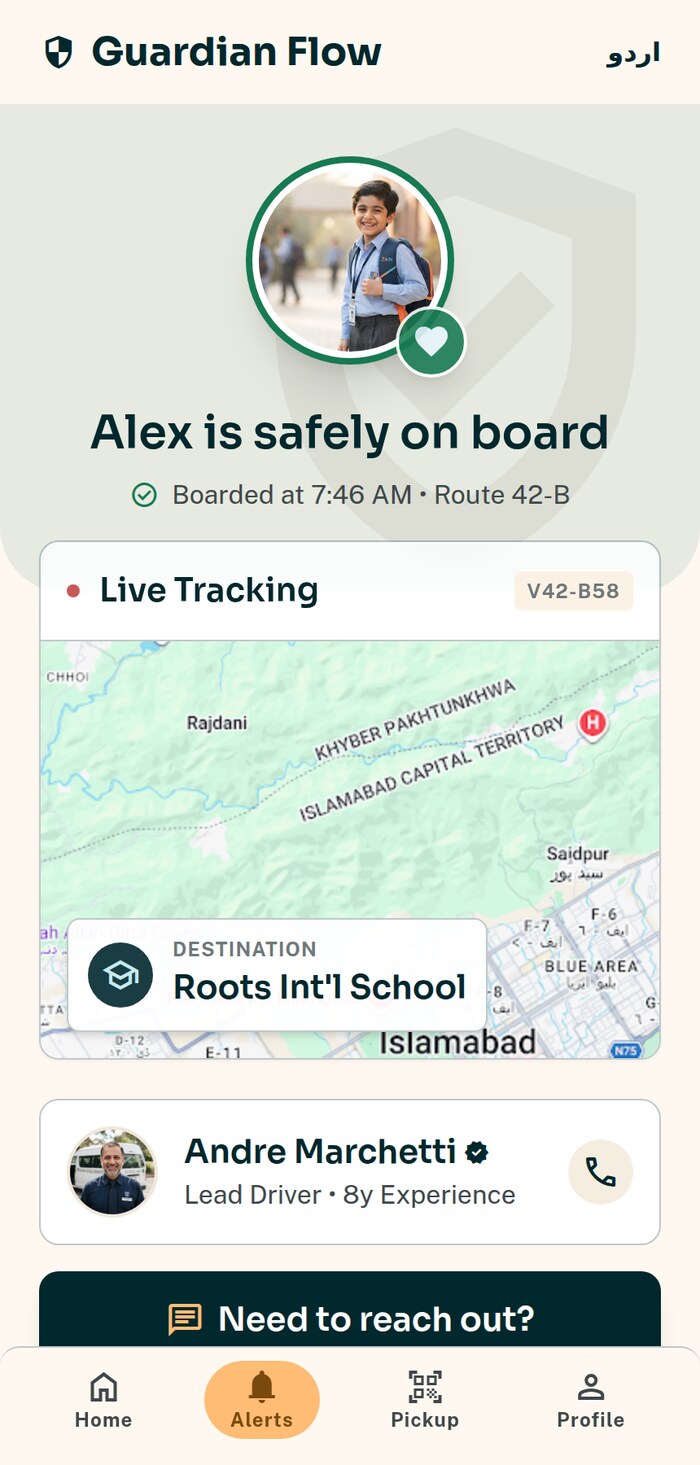
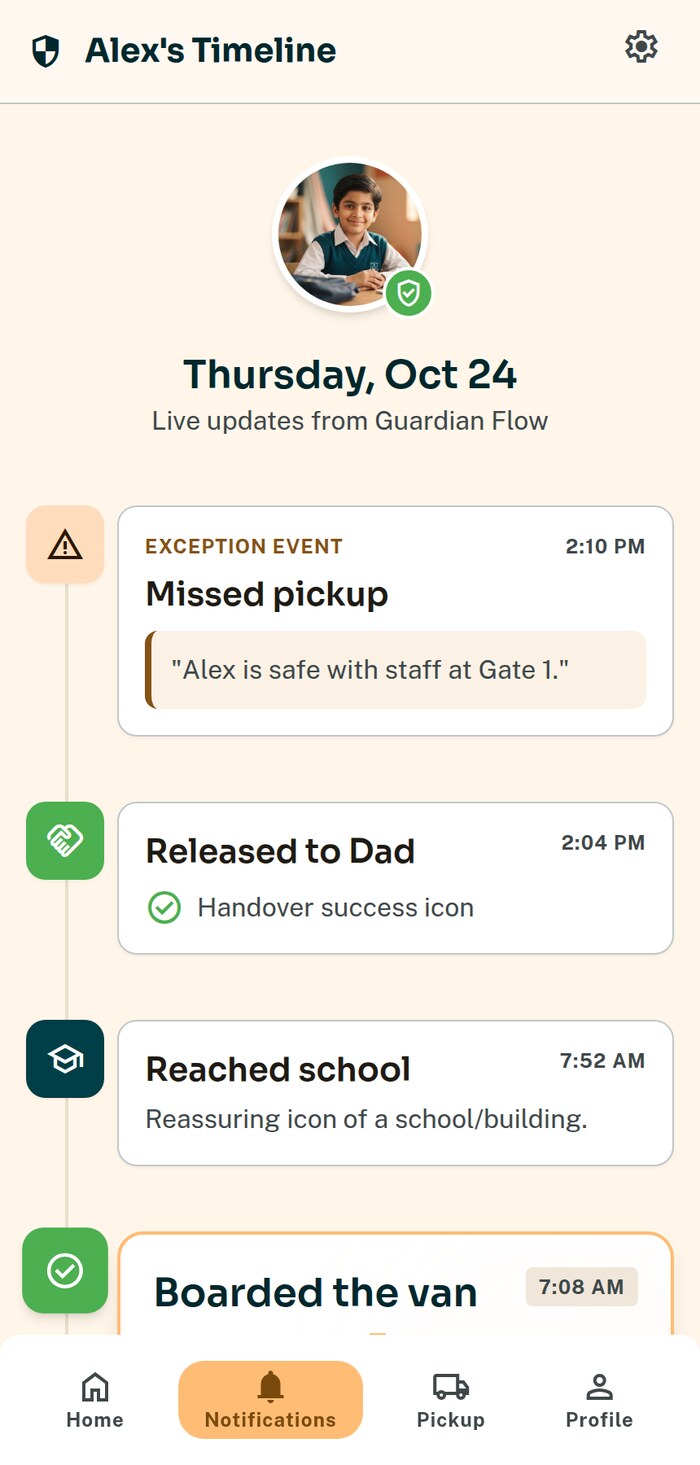
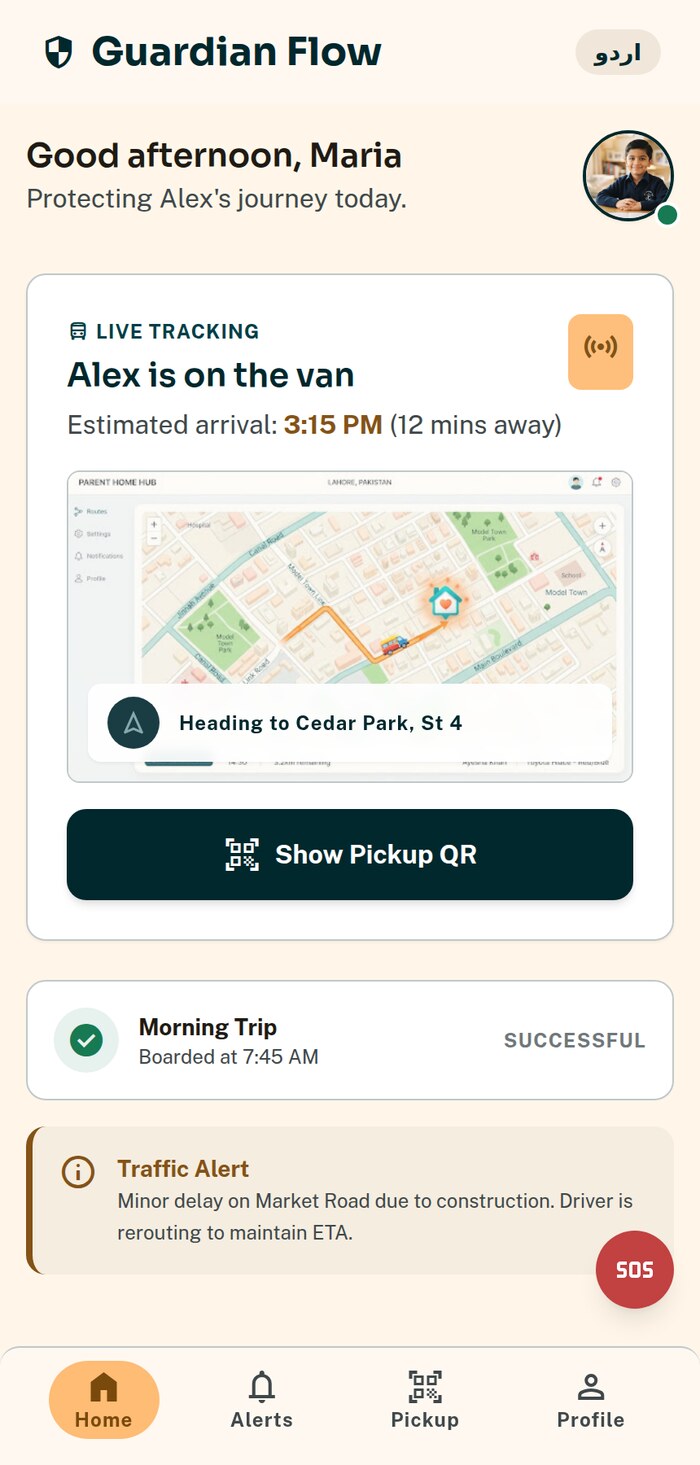
See the van carrying your child — and only that van
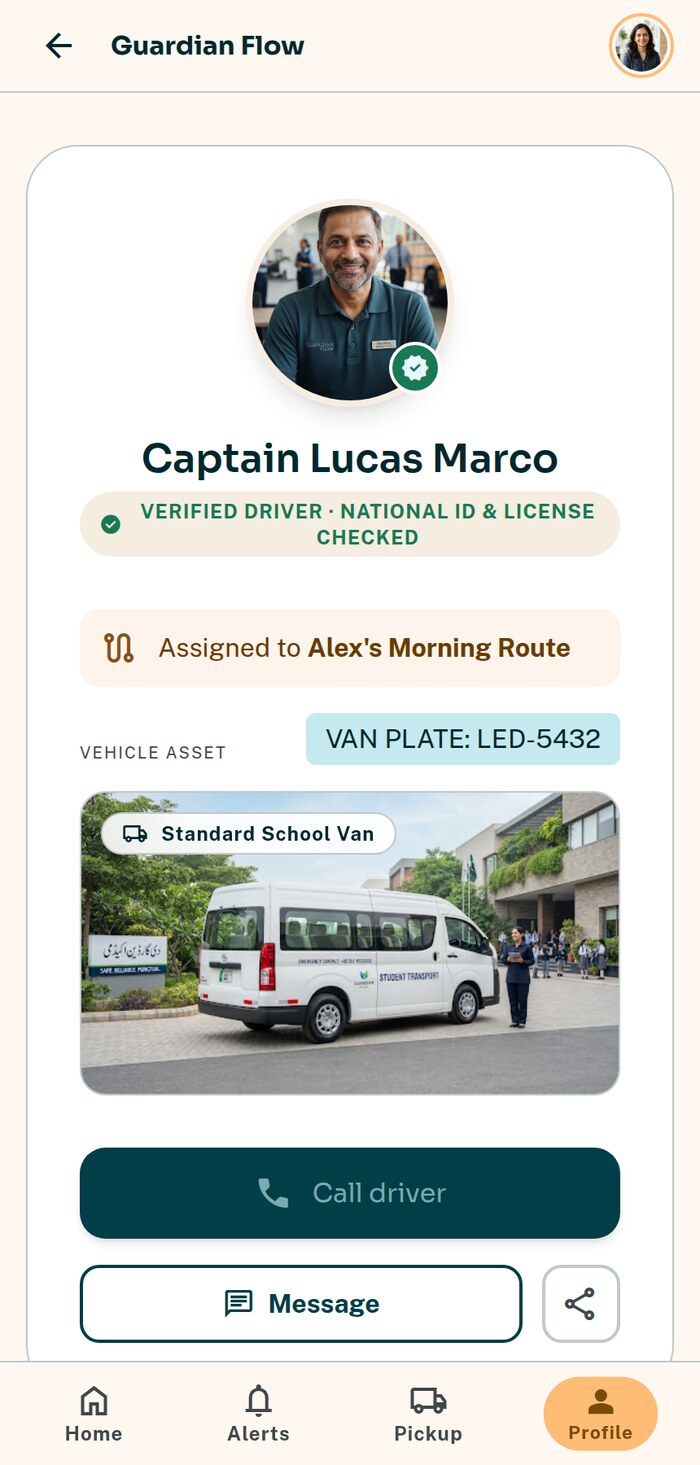
Live position while your child is riding, the route ahead, and the driver's identity card so you know exactly who is behind the wheel.
- checkThe van's position on a map, refreshed continuously during the trip
- checkThe driver's photo, name and vehicle — verified by the school, not self-declared
- checkA timeline of your child's day: boarded, dropped, collected
- checkMultiple children on one account, with a switcher
- checkNo invented arrival times — if the app cannot know, it says “on the way”
- checkYou see your own children only. Never another family's, never the wider route
Tell the van before it waits for you
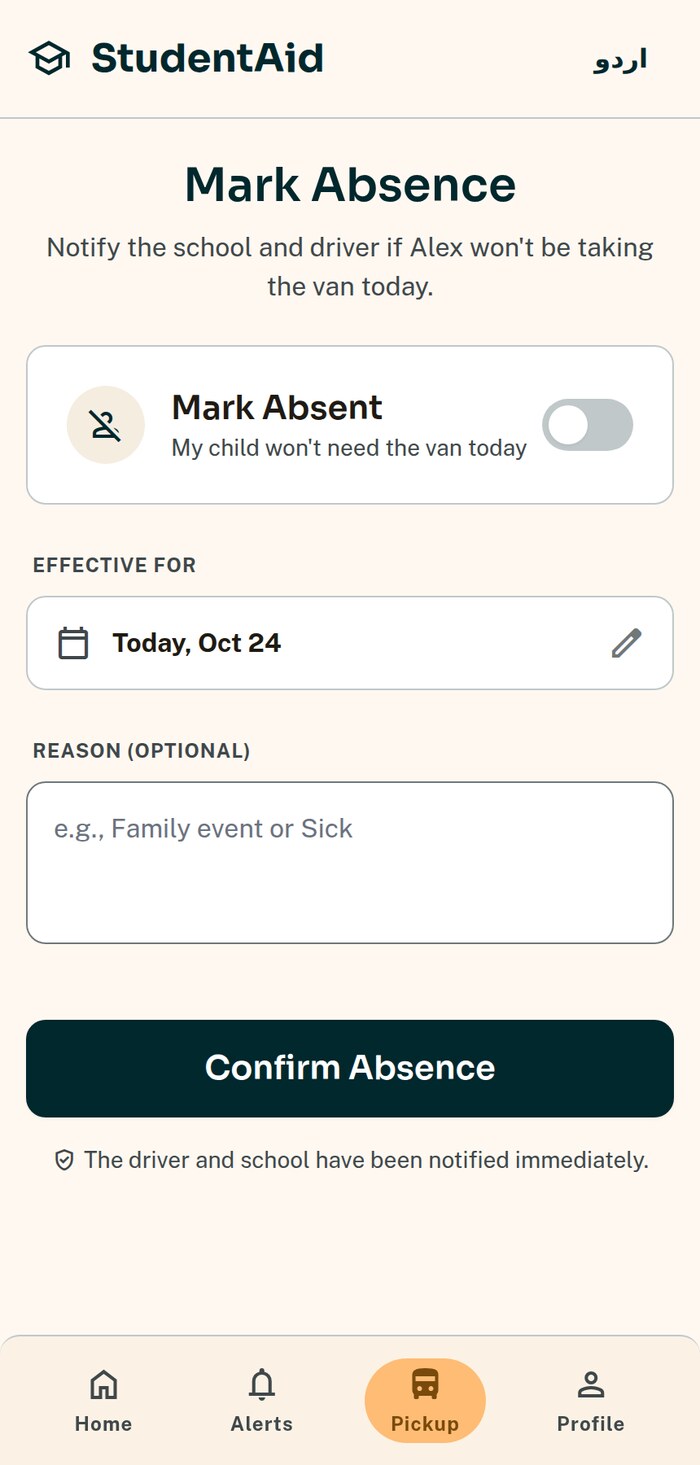
Mornings change. Marking it in the app takes one tap and reaches the driver before they reach your street.
Absent today
Your child is not travelling. The driver sees it before the stop — and your child keeps their seat for tomorrow.
I'll drop them myself
Going in by car today. The van skips the stop; nothing about the arrangement changes.
A weekly pattern
Set the recurring shape of your week once — van in the morning, collected on Fridays — instead of tapping every day.
Turning up anyway
If your child appears at the stop after all, the driver can still board them. Marking absent never locks the door.
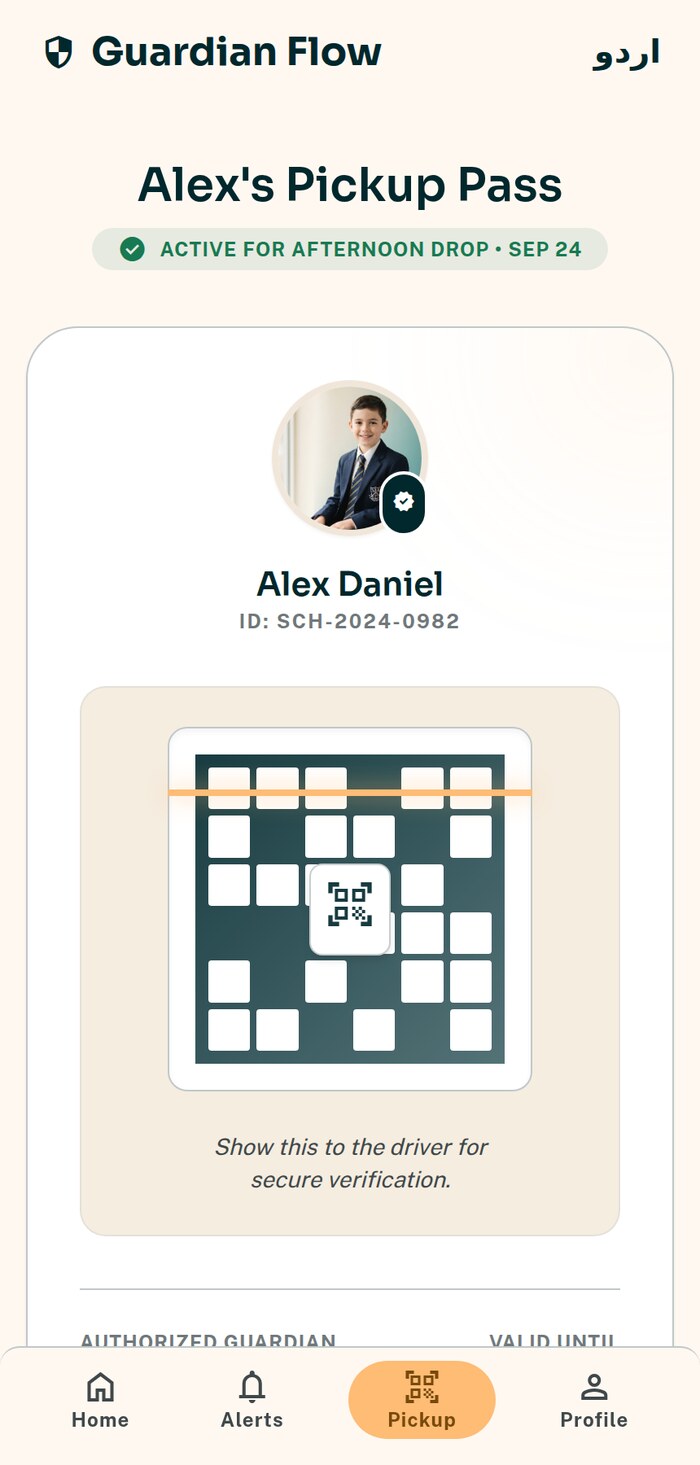
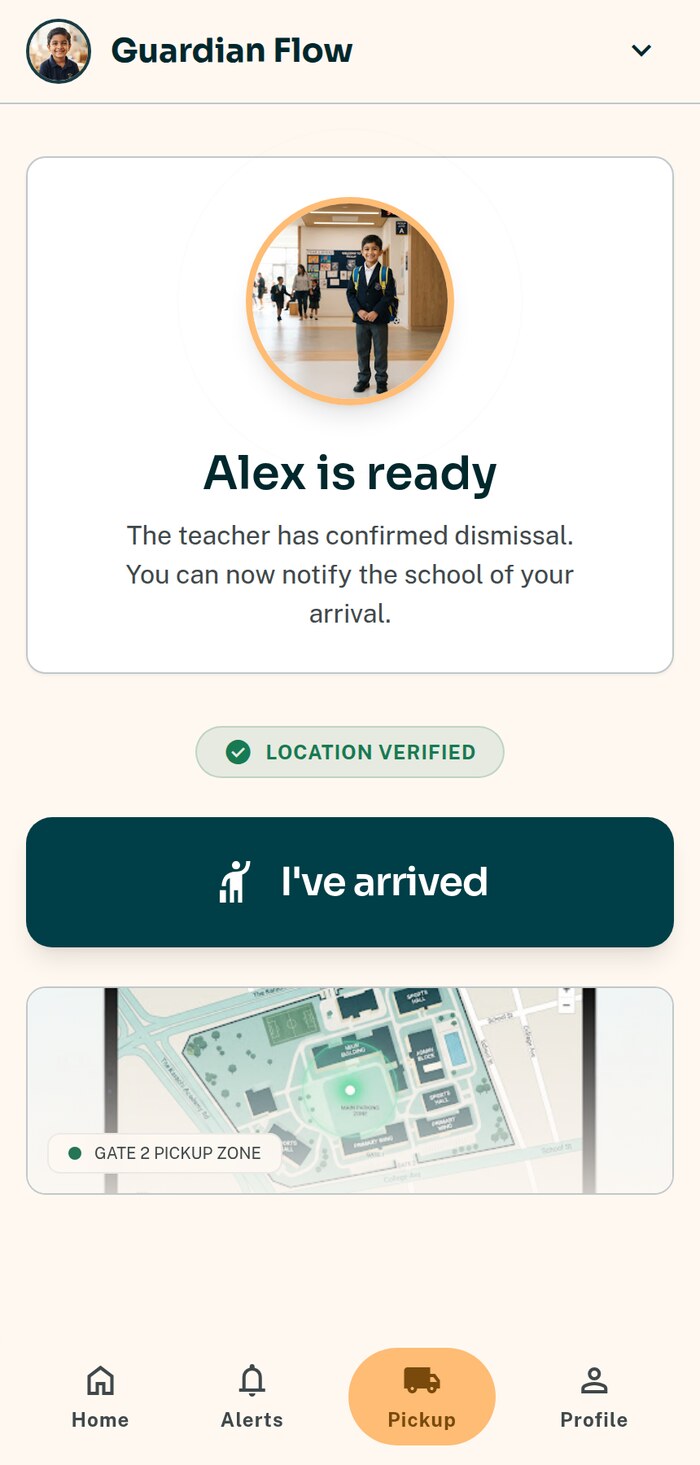
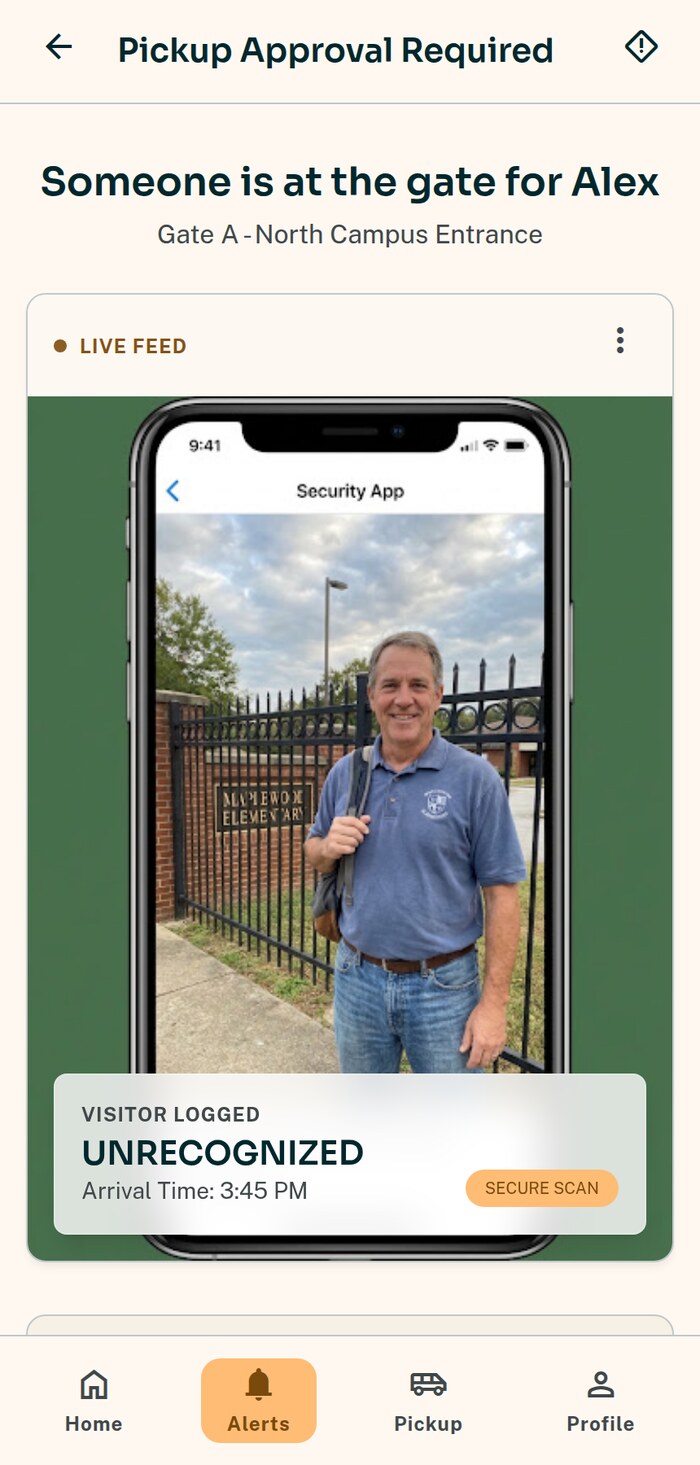
Collecting your child, without the scrum
Dismissal is where school-run chaos actually happens. The app turns it into a queue you join from the car.
- checkCheck in when you arrive and your child is called forward — no waiting in a crowd at the gate
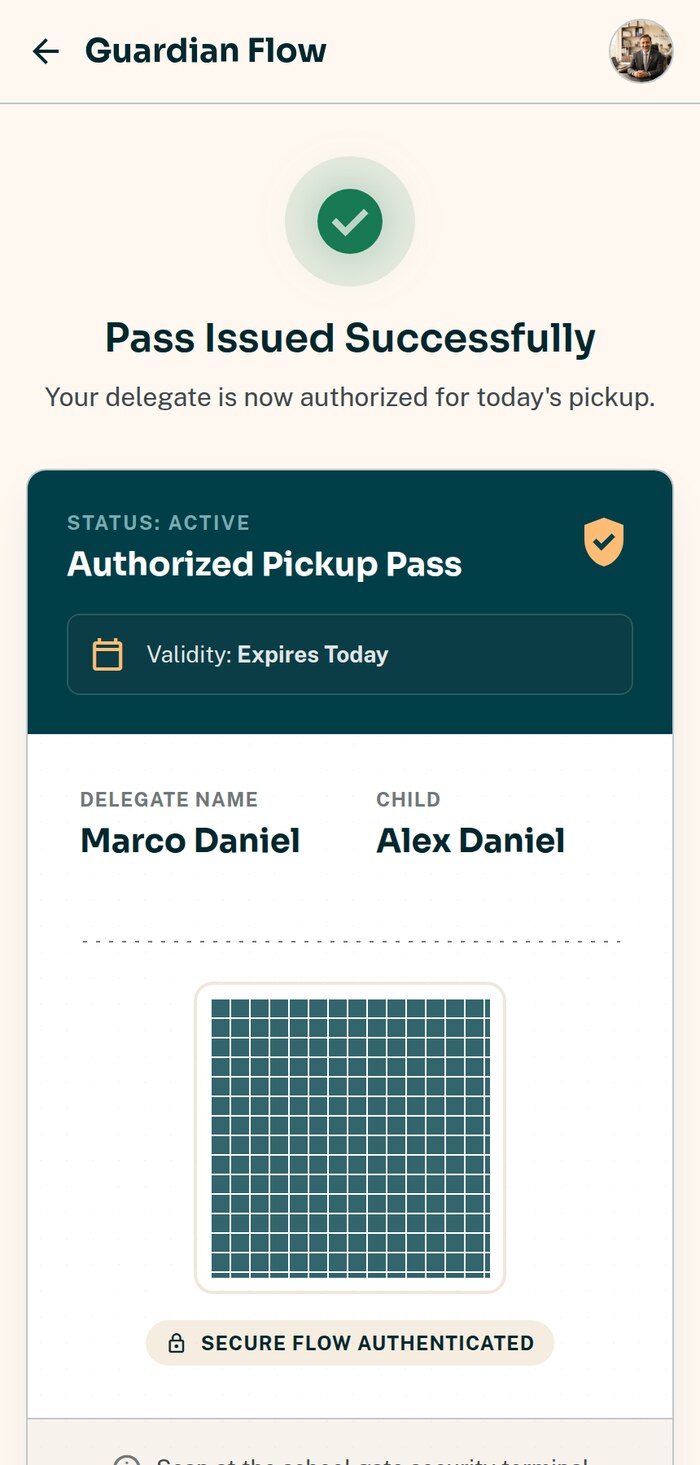
- checkA QR pickup pass on your phone identifies you at the gate
- checkSending someone else? Issue a time-boxed pass to your driver, an aunt, a neighbour
- checkSomeone unexpected turns up? You get an approval request, with their details, before anyone is released
- checkRefusing takes one tap; approving takes a deliberate confirmation
- checkIf you do not answer, the child stays with staff. Silence is never taken as a yes
What we do not do with your family's data
We do not track you
The app asks for your location only when you check in at pickup, and takes a single reading at that moment. It never requests background location, so it cannot see where you are when it is closed.
No ads, ever
There is no advertising in this app and no advertising SDK in it. We do not profile your child and we do not sell data — to anyone, at any price.
Only your children
Your account is bound to your own children. Another family's child, another route, another school — all structurally out of reach, not merely hidden.
Deleted on a clock
Van location history is deleted after 30 days, automatically, by a job that runs nightly — not by someone remembering to do it.
You control the noise
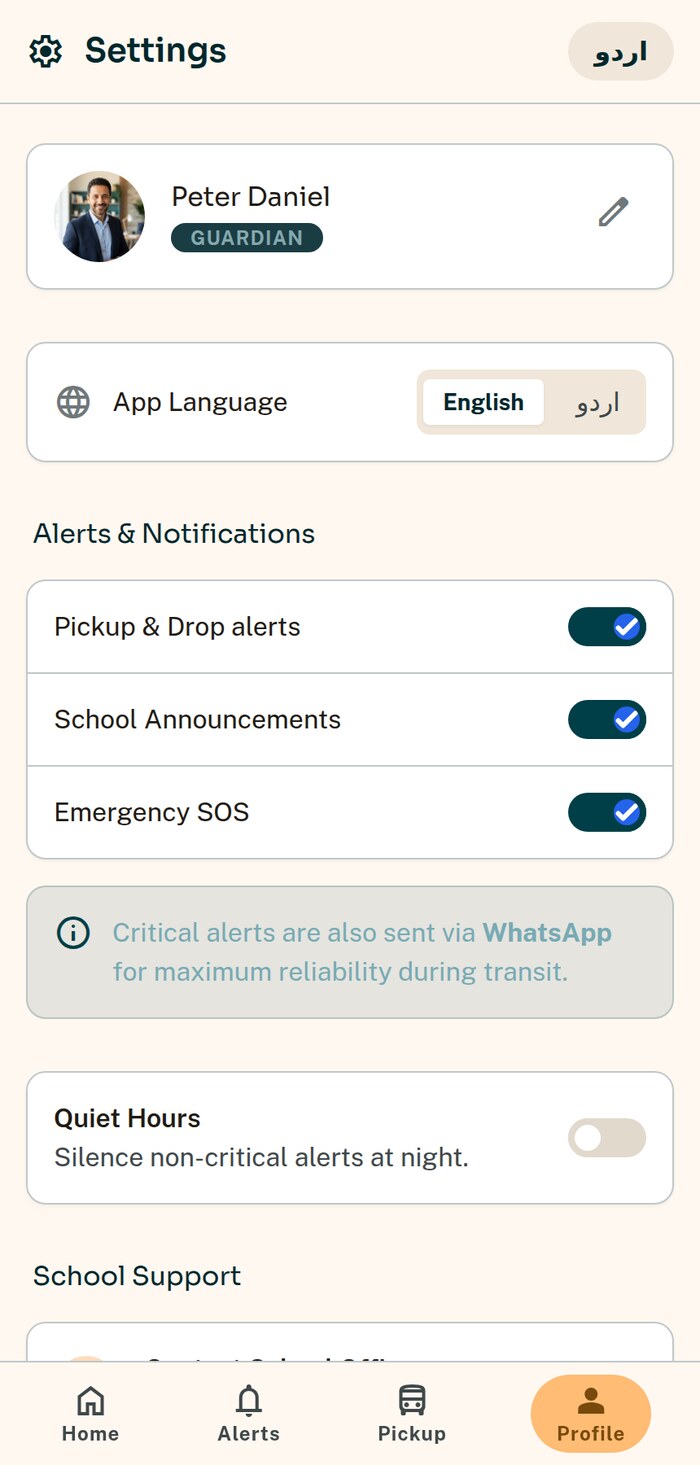
Turn off the alerts you do not want. Emergency alerts are the exception — there is deliberately no switch that could silence one.
Every guardian, their own access
Both parents, and any guardian the school records, sign in on their own phone and can act on their own.
Parent questions
Does it cost anything?
No. The parent app is free for families, permanently. Your school pays for the platform.
How do I get access?
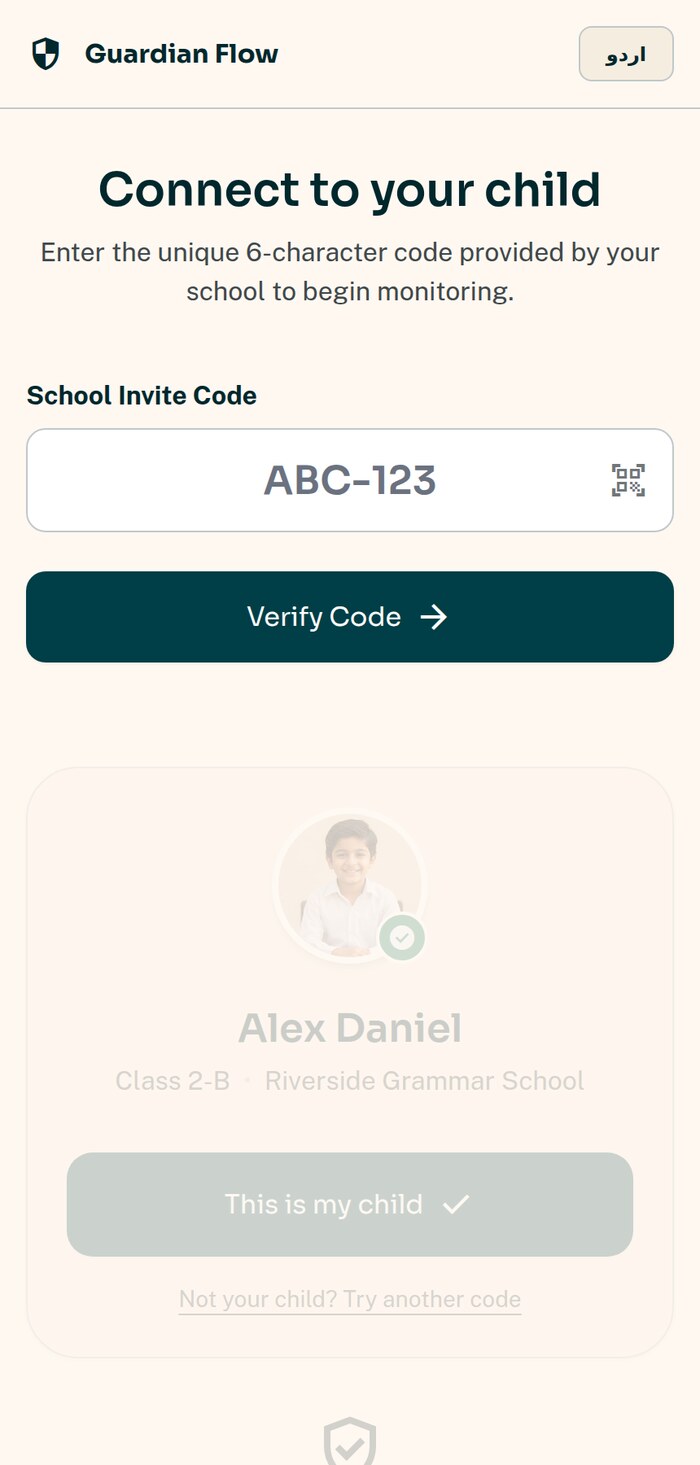
Your school links your phone number to your child and you sign in with a one-time code. If you cannot see your child, ask the school to check the number on their record.
Can I see the van all day?
No, and deliberately. You see the van while your own child is riding it. Once your child is home, live position stops — other families on that route are entitled to the same privacy you are.
What if I do not have a smartphone?
Your child is still scanned aboard and released only to a verified collector. The school sees every step in its portal and can call you, and staff can act on your behalf at the gate.
Can both parents use it?
Yes. Every guardian the school has recorded gets their own access, and each can act — mark absent, approve a collection, issue a pass.
What happens in an emergency?
The school's emergency contacts and the guardians of every child aboard are alerted immediately, with the van's location. Note the app does not call the police or an ambulance — in an emergency you should always call them directly.
Want this at your child's school?
Send us the school's name and we will approach them — or show this page to your transport office.