 StudentAid
Attendance in a few taps. Everyone told, once.
A shared tablet in the classroom, a personal code for each teacher. Everyone starts present — tap the ones who aren't. The office sees every class fill in live, parents hear about an absence the same morning, and the monthly attendance sheet builds itself.
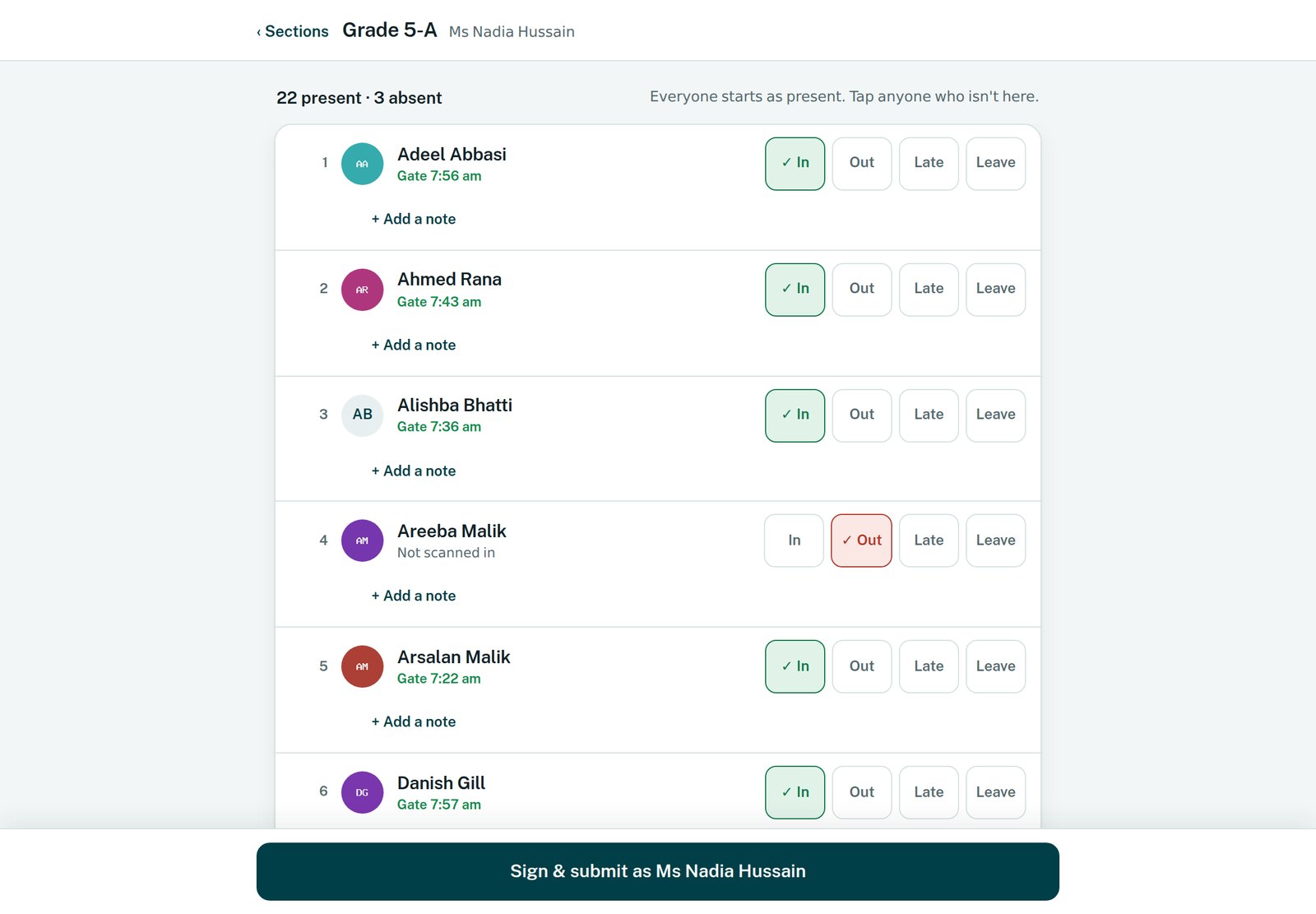
Everyone starts present. Tap anyone who isn't here.
Ms. Ayesha Khan marked Hamza absent in Class 4 – B at 8:04. Please tap to tell the school why.
checkClass 4 – B · 8:04 · Ms. Ayesha Khan
history4 classes still to mark
18 of 19 school days
From the classroom to every parent's phone
- keySign in with a code
No passwords and no personal phone. The teacher's own code signs the attendance.
- fact_checkTap who isn't here
Everyone starts present. Children the gate already scanned are ticked before you start.
- checkSubmit
A few taps a class. No signal? The tablet keeps it and sends it when the connection comes back.
- desktop_windowsThe office sees it
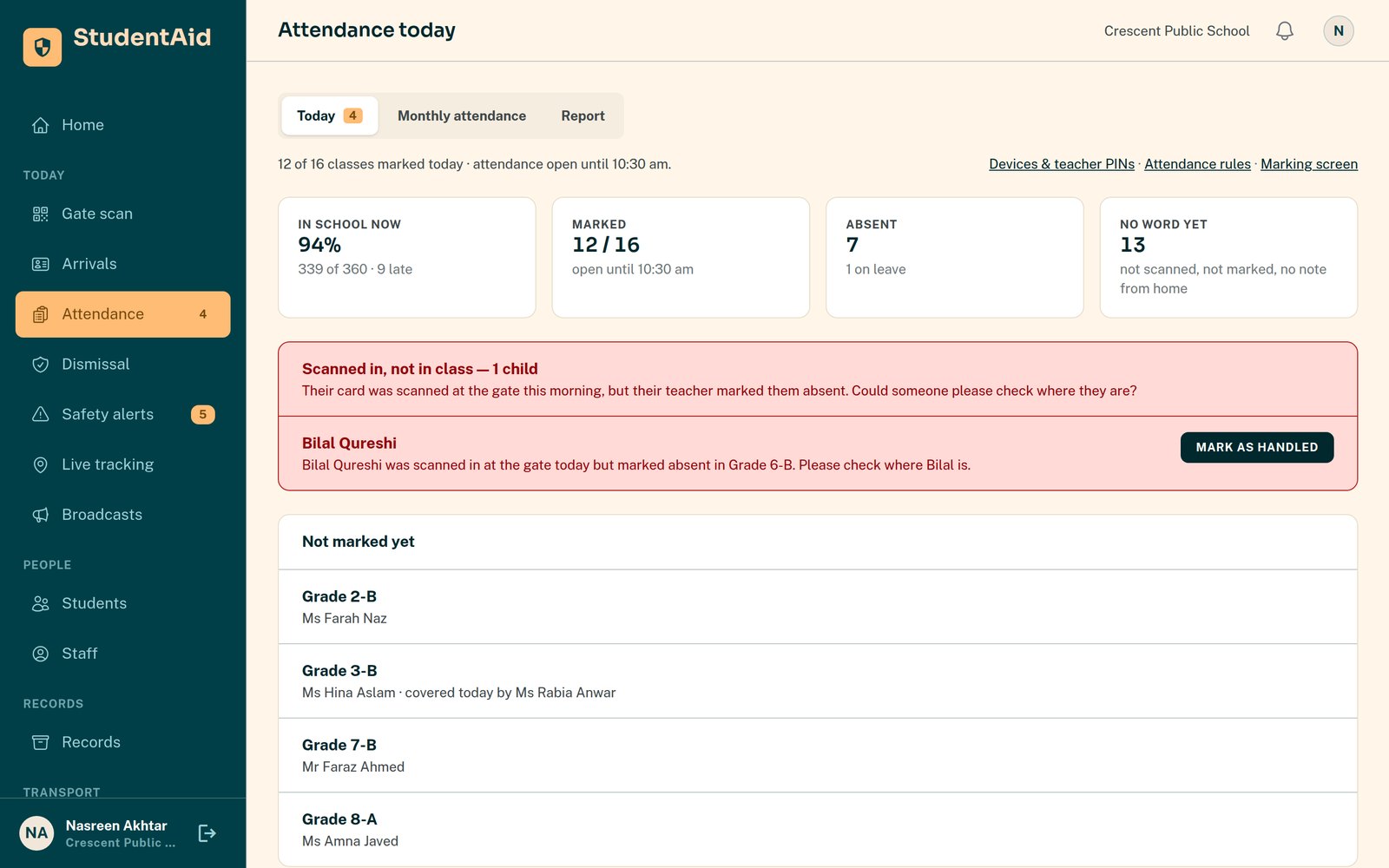
Every class, live: marked, still to mark, or skipped.
- notifications_activeParents are told once
Absent or late only, a few minutes later, so a quick correction never reaches them.
Built for a teacher with thirty children in front of them
The tablet opens on the teacher's own classes. Photos and roll numbers make every face easy to match, and the list starts with everyone present, so a full class is one tap.
- checkOne shared tablet, no personal logins — each teacher's own code signs the attendance
- checkTeachers see only their own classes, plus any class they are covering today
- checkEveryone starts present; tap the absentees
- checkChildren already scanned in at the gate are ticked before the teacher starts
- checkOnce a day or every period — with your bell times, the period that is running now comes first
- checkWorks without signal: it keeps the attendance and sends it when the connection returns
Every class, filling in as it happens
The office sees which classes are marked, which are still to mark, and who marked each one — without walking the corridors.
- checkToday's board: marked, still to mark, or skipped — a class nobody marked is flagged, not missed
- checkIf a child came through the gate but was marked absent, parents and the office are told at once — that alert cannot be switched off
- checkParents' leave requests, approved or declined in one tap — approved days fill themselves in
- checkA teacher off today? Give their class to a colleague for the day
- checkLate comers and children who are often away, listed for you
- checkCorrections carry a reason, and the earlier version is kept
Parents see it in the app, the same morning
Families get one clear message when it matters, and the whole picture whenever they open the app.
- checkA message if their child is marked absent or arrives late — once, a few minutes after marking
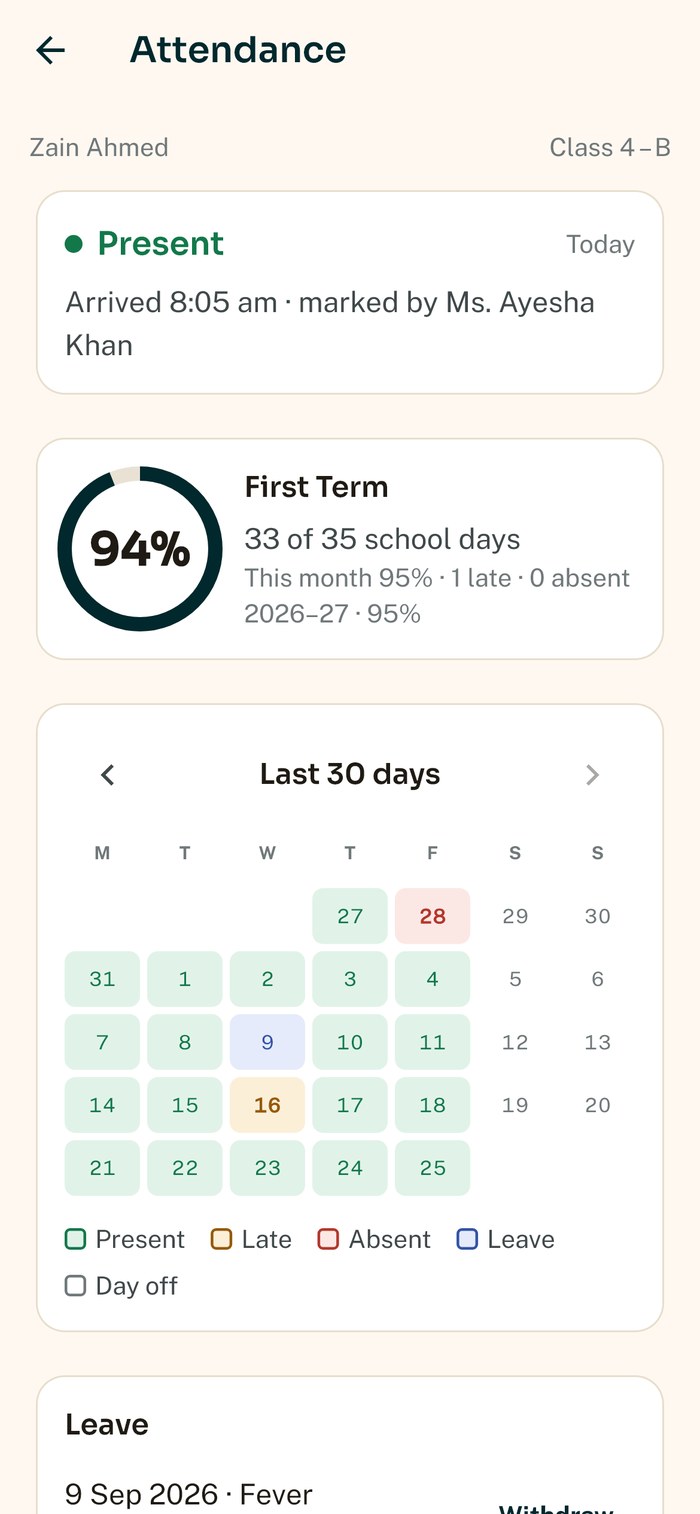
- checkToday's status and the teacher who marked it, with a button to tell the school why if their child was away
- checkThis month, this term and this year as a percentage, and a colour calendar of the recent days
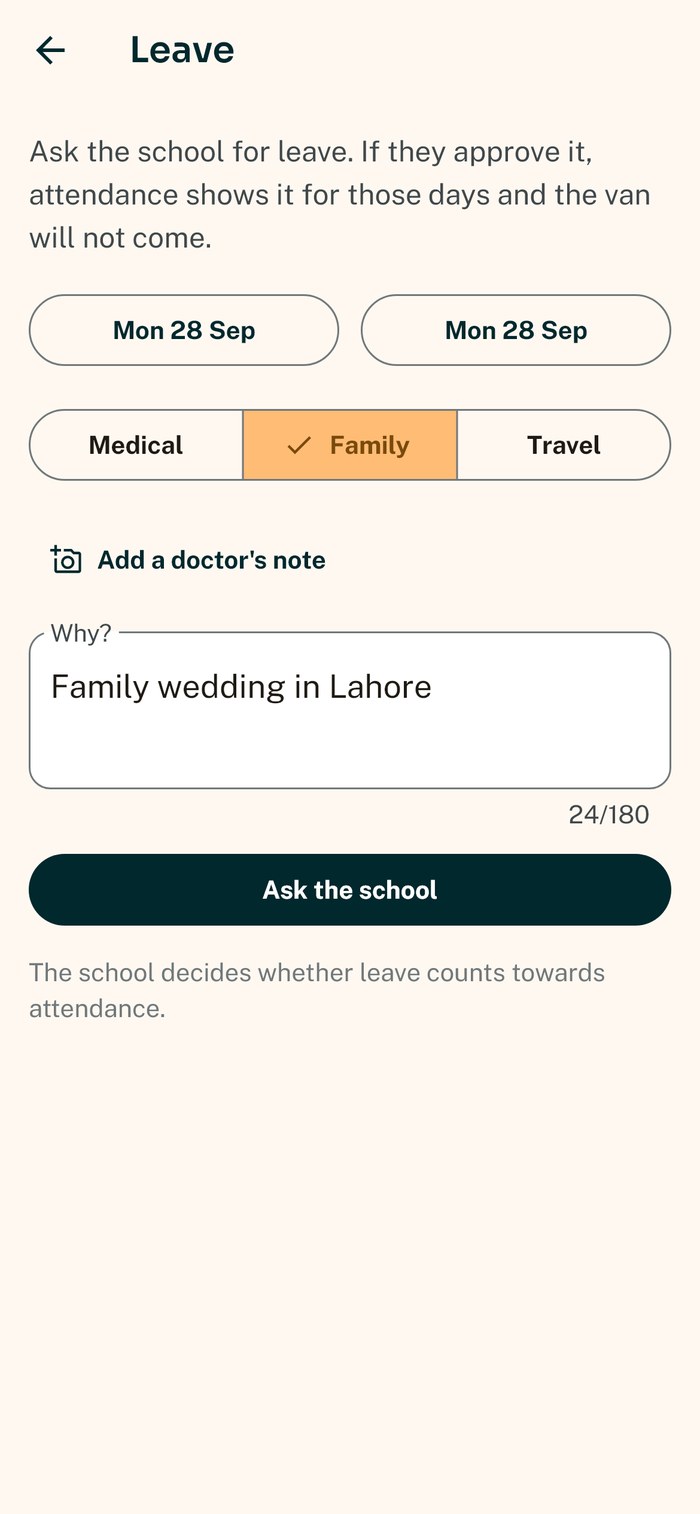
- checkLeave applied for in the app — medical, family or travel, with a doctor's note if needed. Once it is approved, the van knows not to come
- checkA short summary at the end of every month
Set up in an afternoon, used every morning
Everything is set from the school portal. Nothing to install on the tablet — it opens in the browser.
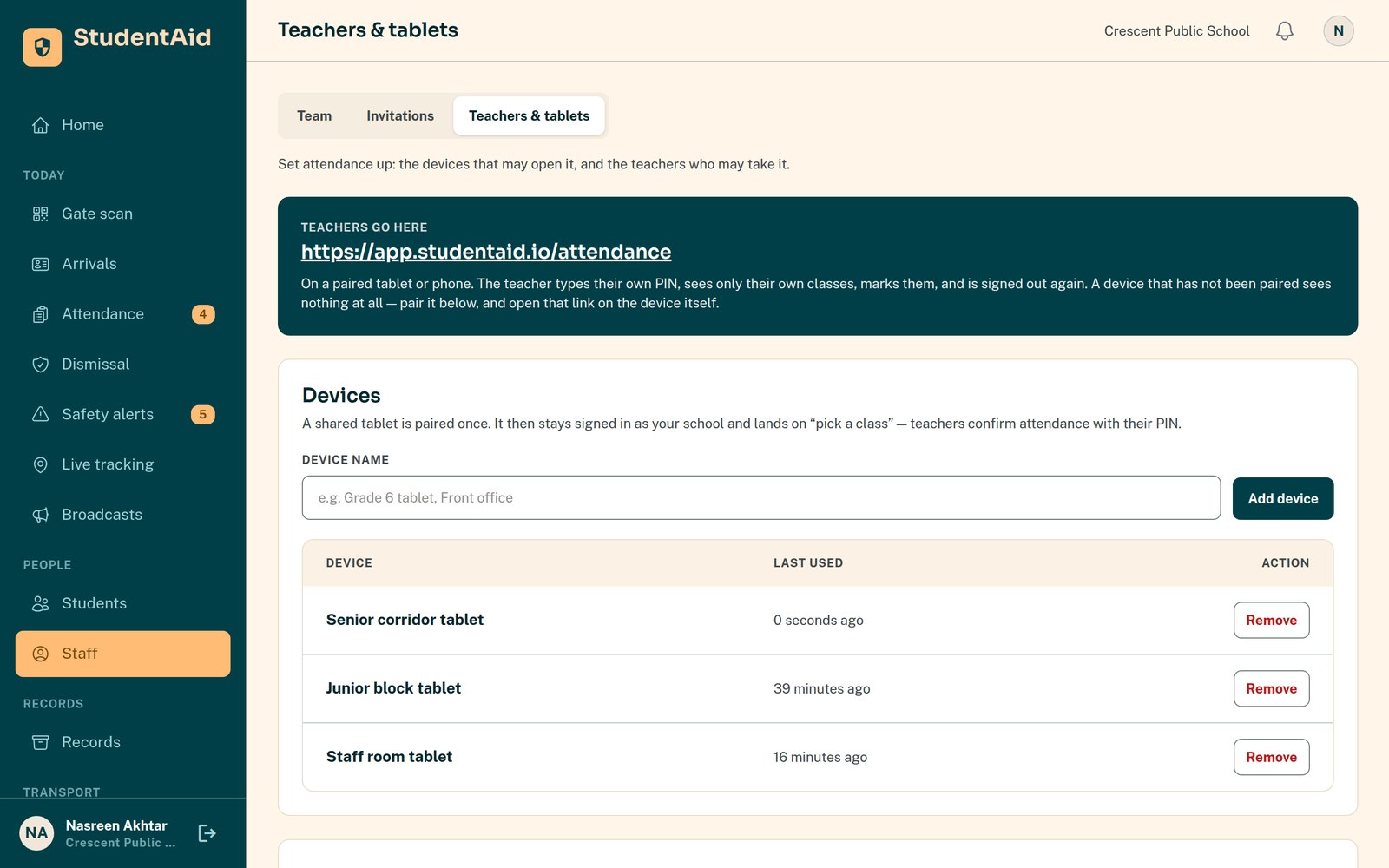
- Add your teachers
Each teacher gets a personal code. A starting code is changed by the teacher the first time they use it.
- Pair the classroom tablets
Open a one-time link on each tablet. A lost tablet is switched off from the portal in one click.
- Give each teacher their classes
Teachers mark only their own classes — and a class they cover for a colleague that day.
- Set your school year
Your school week, terms, holidays and closures — and your bell times, if you take attendance every period.
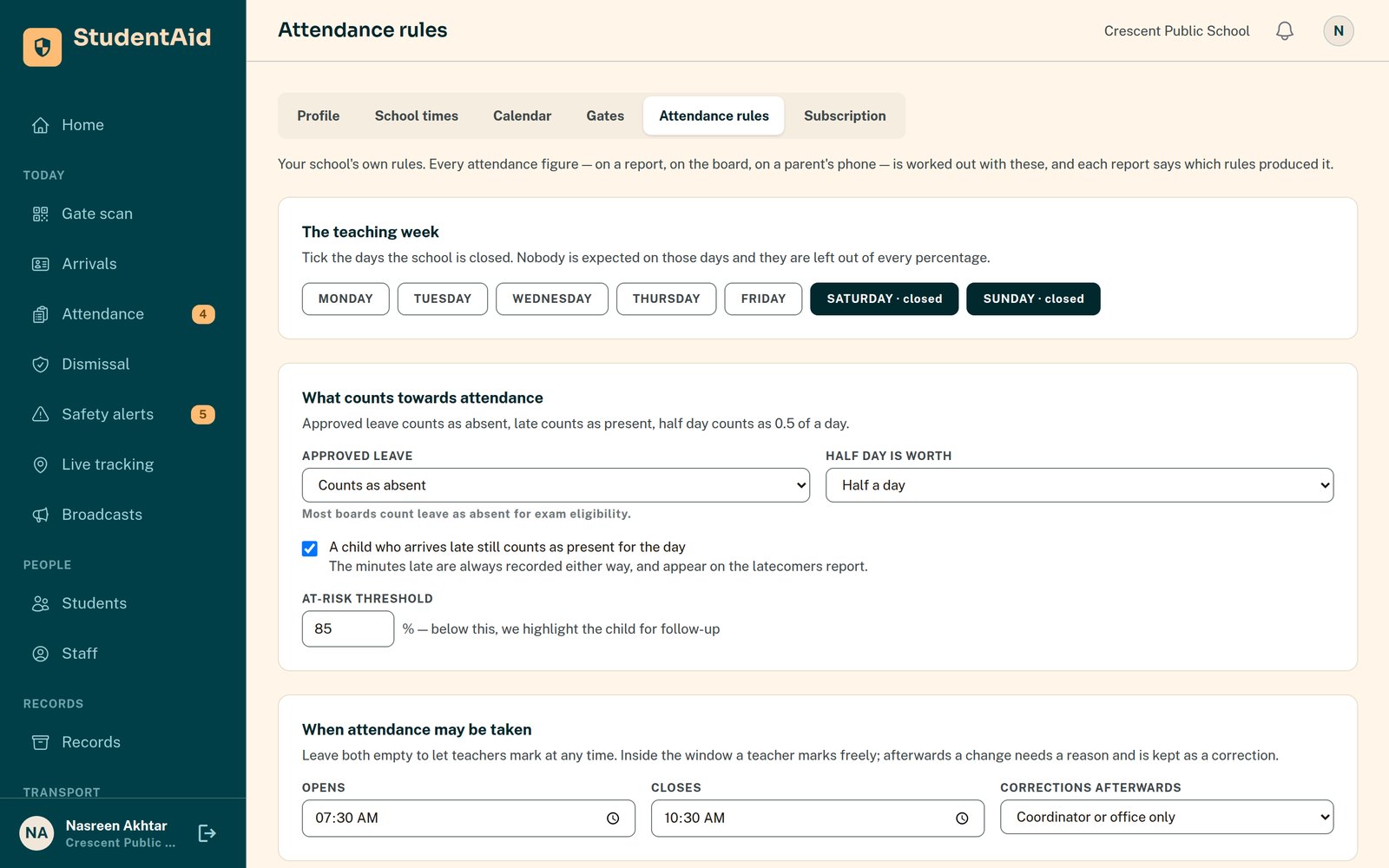
- Choose your rules
Does late count as present? What is a half day worth? Below what percentage should a child be flagged? Your school decides.
The monthly attendance sheet, already filled in
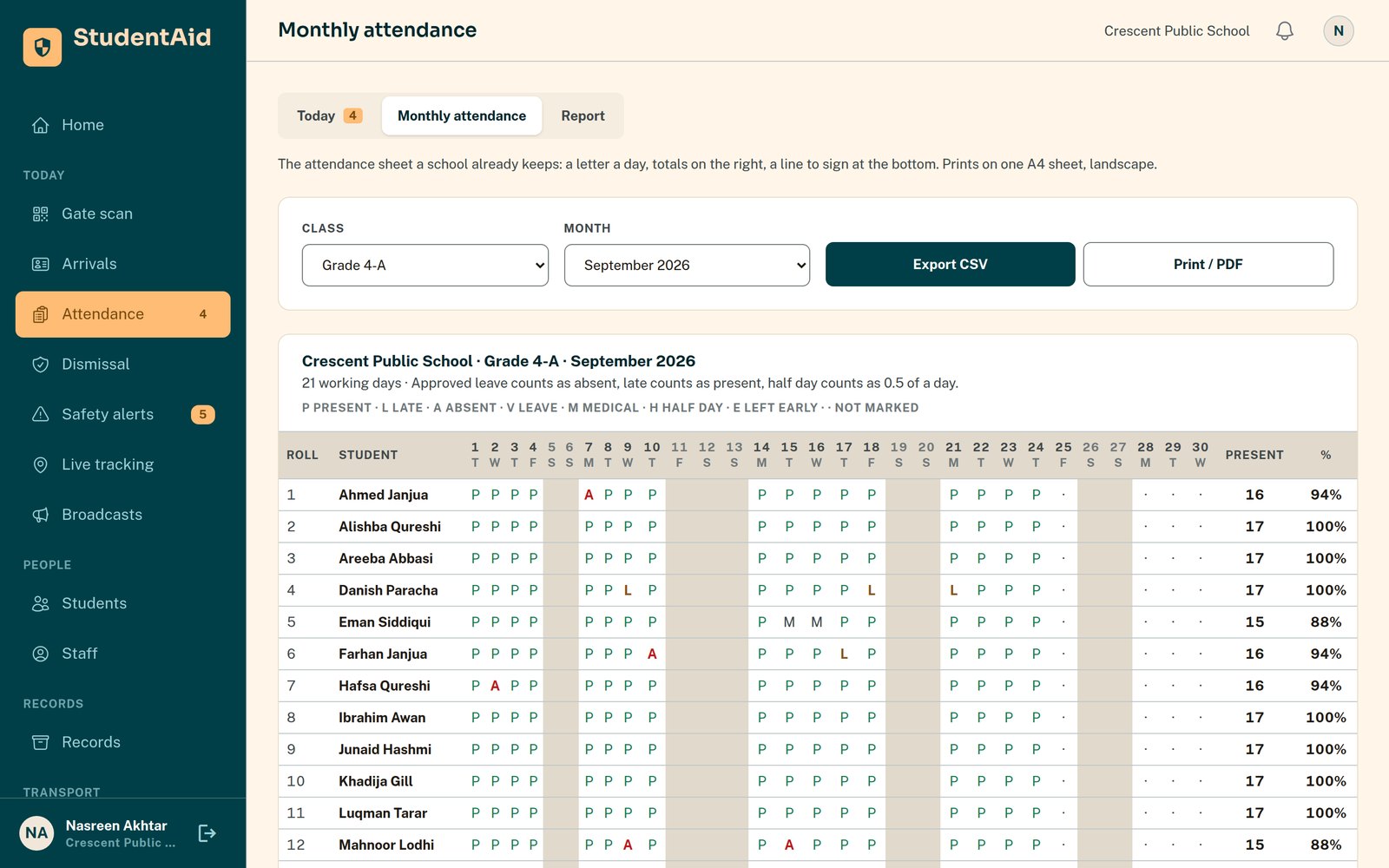
No more copying attendance into a spreadsheet at the end of the month.
- checkMonthly attendance sheet per class, ready to print on A4, with signature lines
- checkEvery child's percentage over any dates you choose, counted on school days only
- checkA watchlist of children below your threshold
- checkDownload as CSV, or print to PDF
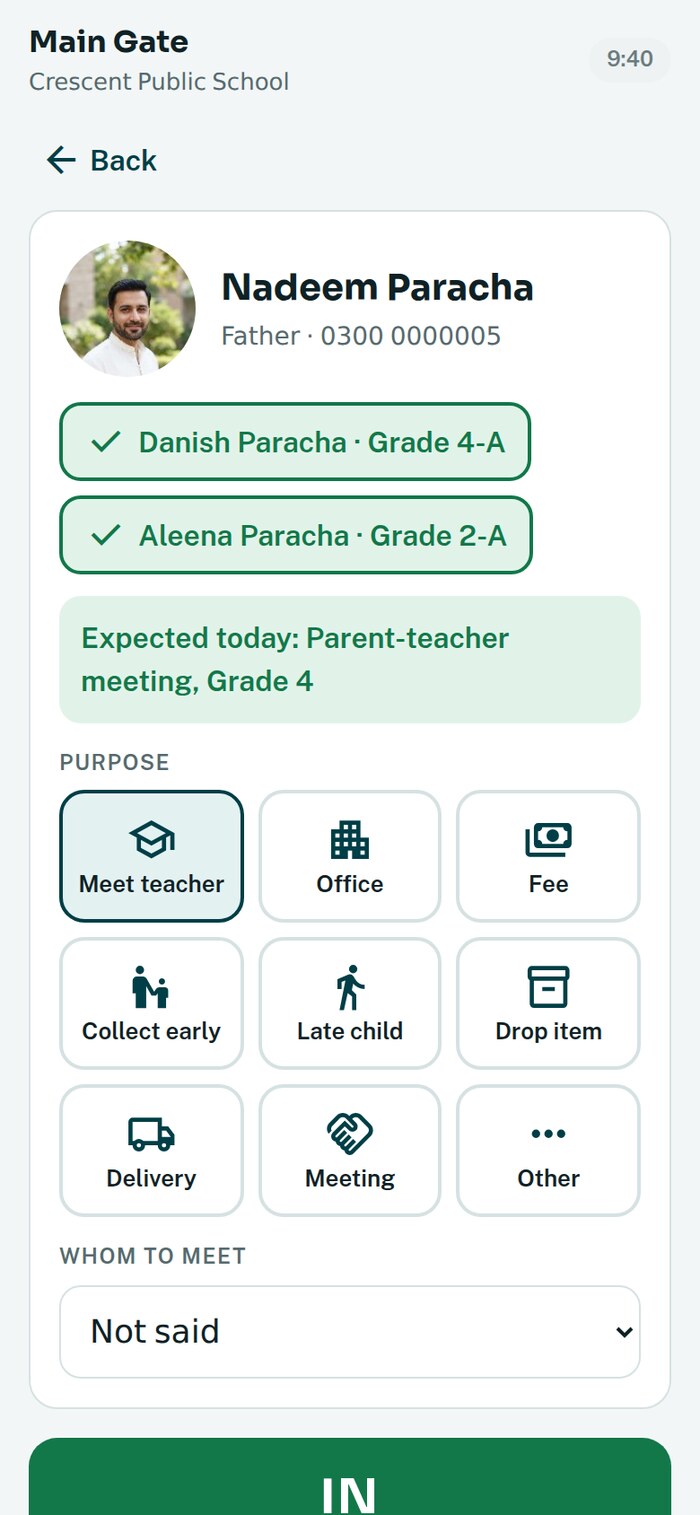
Attendance knows the children. The visitor register knows everyone else.
Parents, vendors and visitors are written in at the gate on the guard's phone. Parents are recognised by their number with their children, and the office sees who is inside now.
Attendance questions
Does every teacher need a phone or an email address?
No. One shared tablet can serve a whole corridor. Each teacher signs with a personal code, so you always know who took each class's attendance — no passwords, and nobody's own phone.
What if the internet drops in the classroom?
The tablet keeps what the teacher marked and sends it when the connection comes back. Nothing is lost and nobody has to mark the class again.
Can we take attendance every period, not just once a day?
Yes. Each school chooses once a day or per period. With your bell times entered, the tablet puts the period that is running now first, and each period goes to the teacher on your timetable.
What if a teacher marks the wrong child?
It can be corrected, with a reason, and the earlier version is kept. Parents are only told a few minutes after marking, so a quick fix never reaches them.
Do we need the transport side to use attendance?
No. Attendance covers every child, whether they come by van, with a parent or on foot. Where you do run vans, the two share one roster and one picture of the day.
What do parents see?
Today's status and who marked it, their child's attendance for the month, term and year, the recent days one by one, and their leave requests — for their own children only.
See it on your own classes
We set up your teachers and one tablet with you, and you take your first attendance the next morning.